How to Remove Vocals & Make a Karaoke Track (On-Device)
Every song is secretly four tracks: vocals, drums, bass, and everything else. ExpoCut can pull them apart on your phone — so you can mute the singer for karaoke, isolate a voice, or cut your edit straight to the beat.
Quick answer
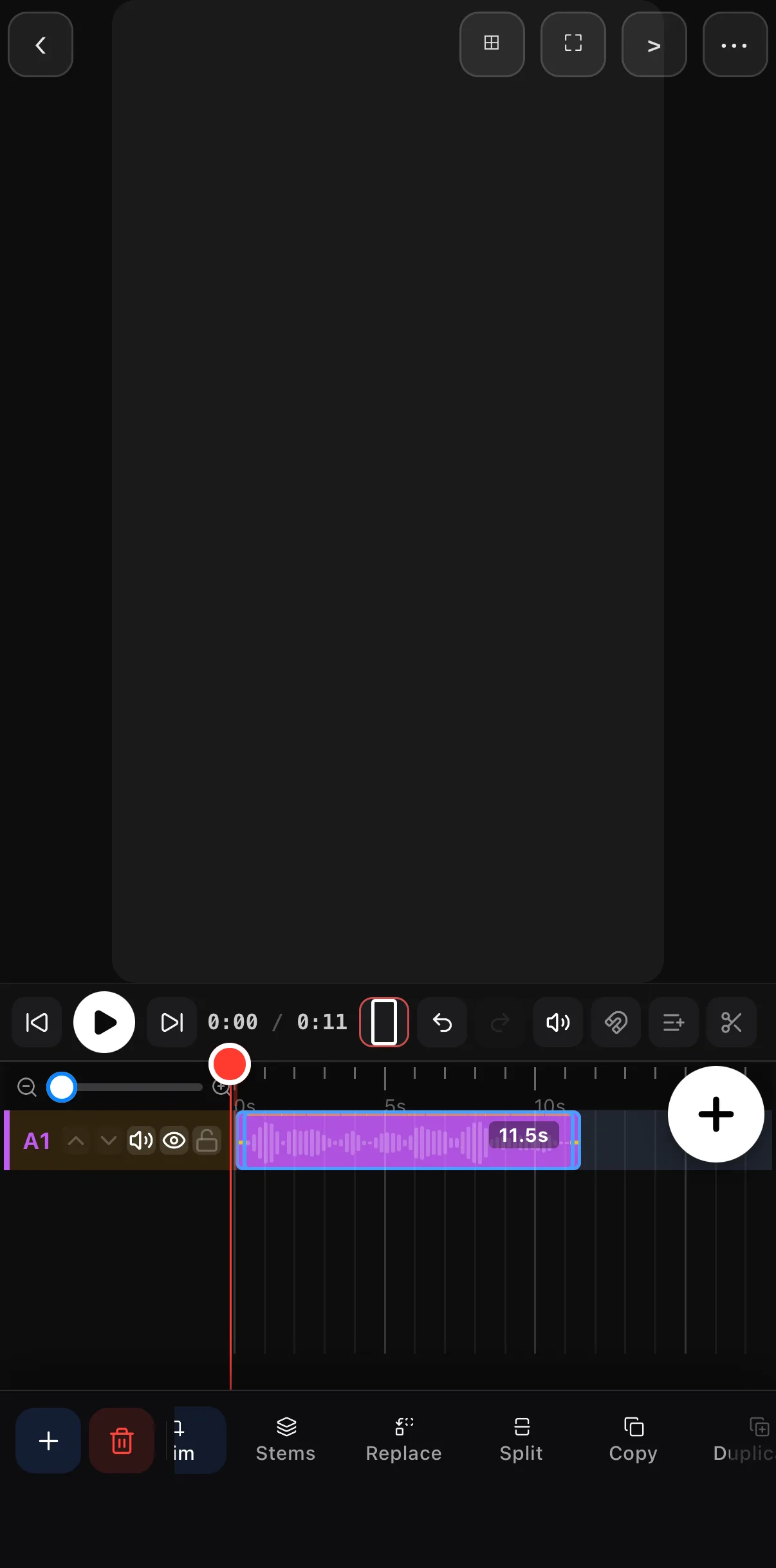
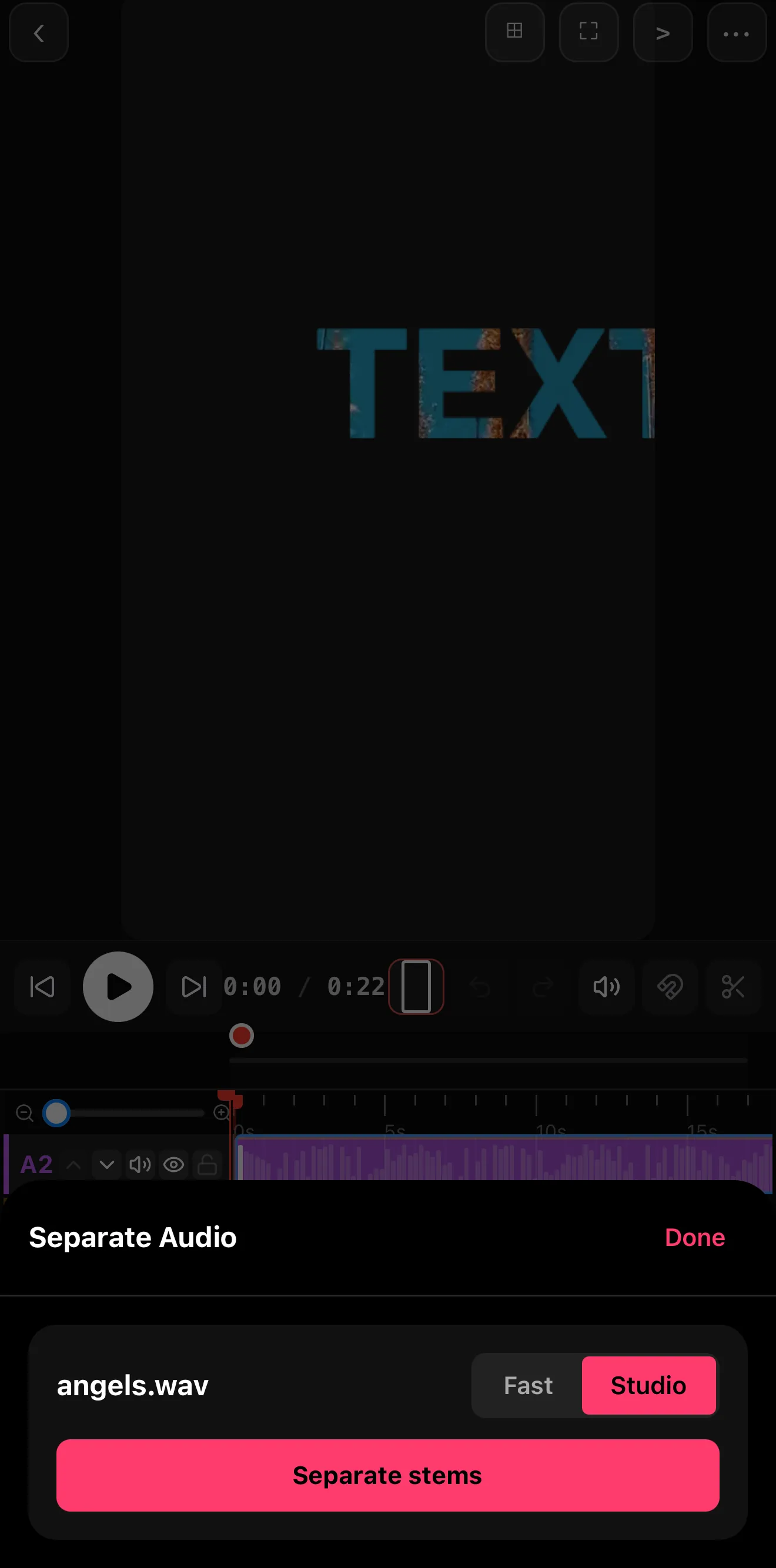
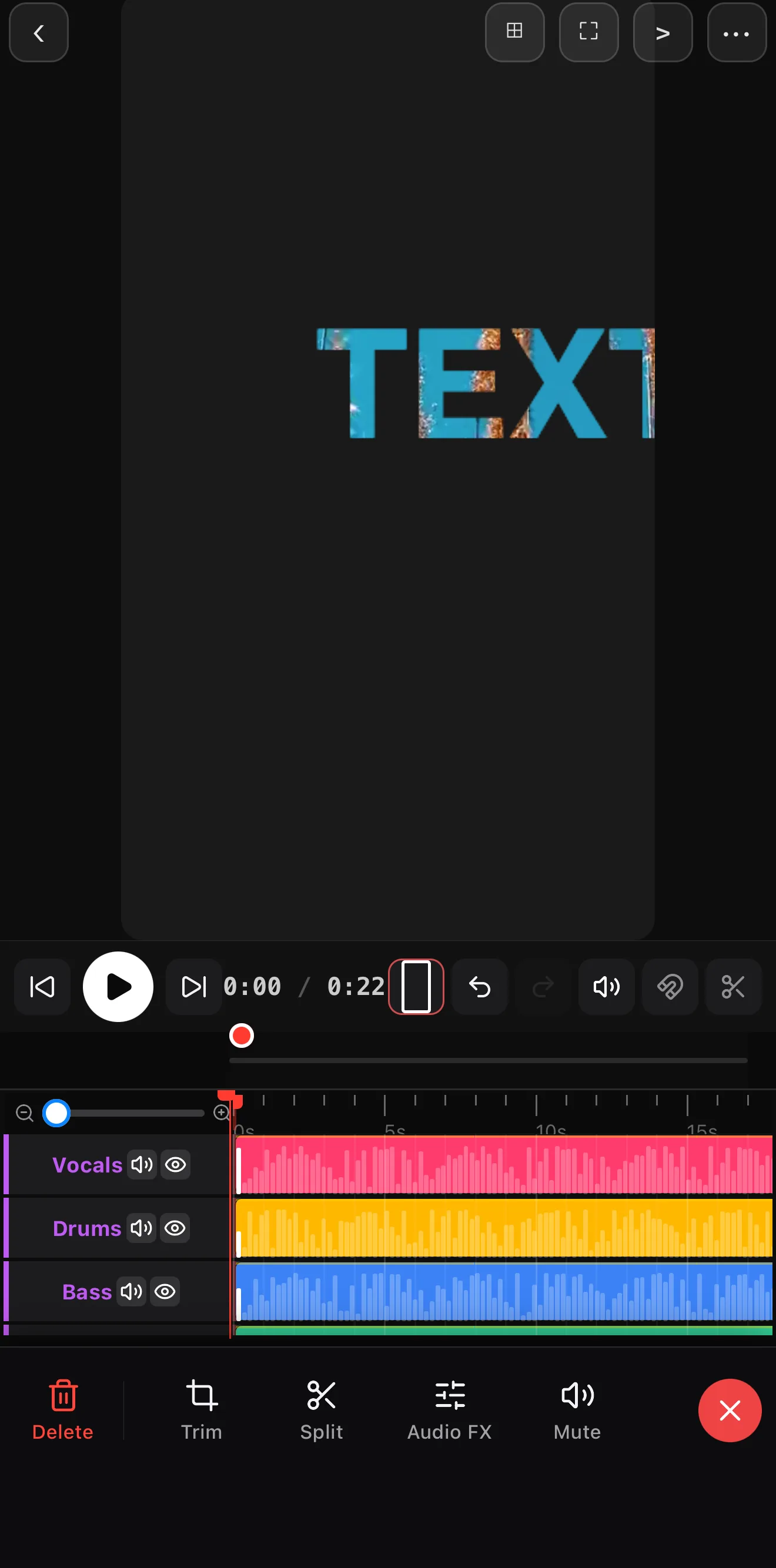
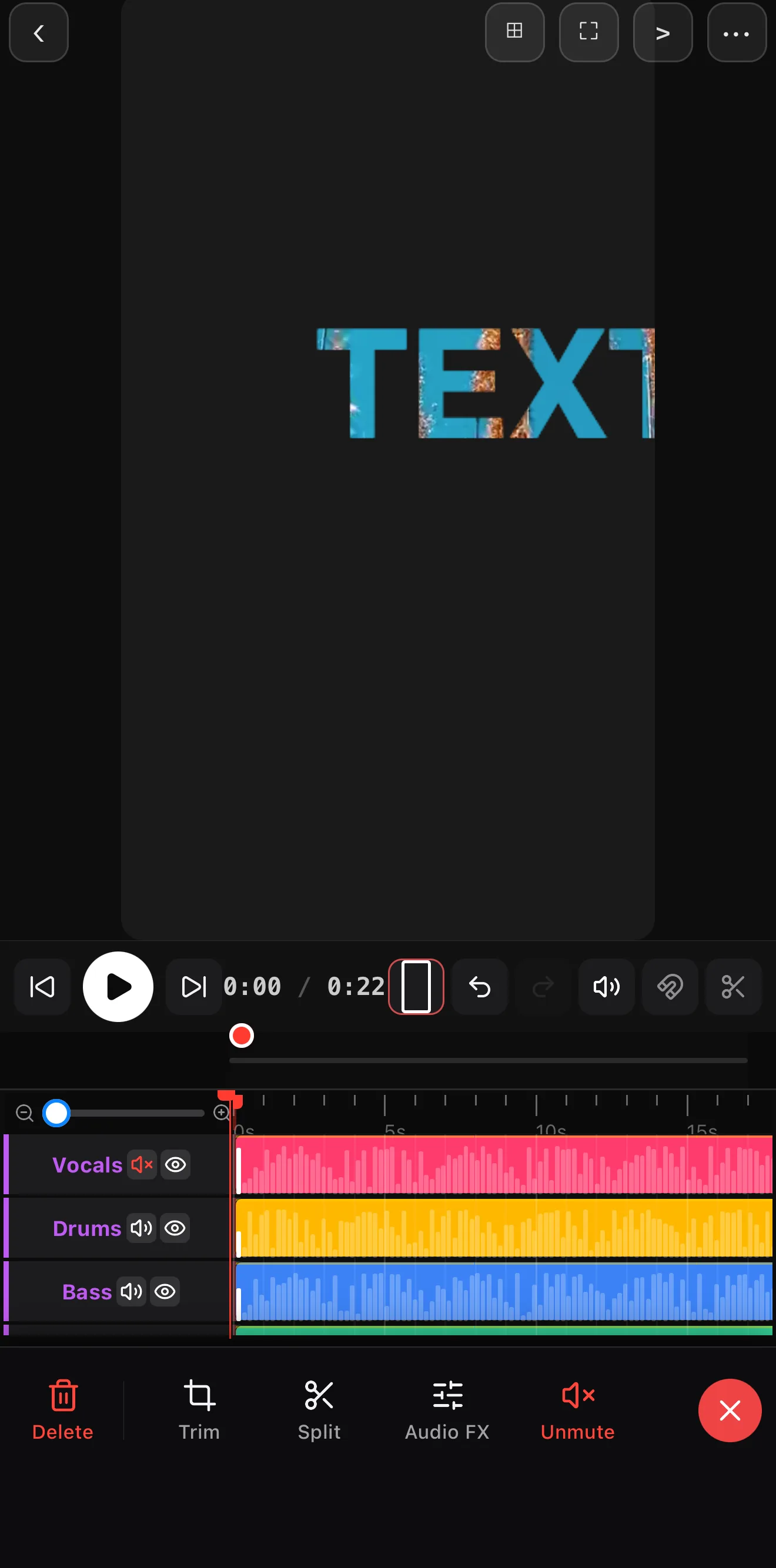
Add the song to the timeline (Audio ▸ Import, or Explore), tap the clip, tap Stems on its toolbar and then Separate stems. The on-device Studio model (a one-time ~166 MB download) splits the track into Vocals, Drums, Bass and Other, each on its own colour-coded row in Stem Focus with mute and solo. Mute the Vocals row for an instant karaoke/instrumental bed; mute everything except Vocals for an acapella.
- Stems is on the audio clip’s toolbar, right after Trim.
- Separation runs entirely on the phone — no upload, no account.
- Stem Focus gives each stem its own row, Trim, Split, Audio FX and Mute; the red ✕ returns to the normal timeline.
- Rebalance instead of muting for a subtle instrumental lift.
Do it now → Remove vocals / make karaoke on your phone
A finished song looks like one waveform, but it’s really four: the vocals, the drums, the bass, and everything else. ExpoCut can separate them on your phone — no studio, no upload — which unlocks karaoke tracks, clean voice isolation, remixes, and beat-perfect cuts.
What “stems” are (and why they’re powerful)
A stem is one isolated part of a mix. Once a song is split into stems you can turn each one up, down, or off independently. That single capability covers a surprising amount:
- Karaoke / instrumental — mute the vocals.
- Acapella — keep only the vocals.
- Clean dialogue — isolate a voice out of noisy background audio.
- Remix — rebalance the parts, or swap the music bed while keeping the original drums.
- Beat-synced editing — use the isolated drums to find exact beats to cut on.
Step 1 — Separate the track
Add the song or audio clip
Drop your music or recording onto an audio track.
Select it and tap Stems
ExpoCut analyzes the audio and splits it into vocals, drums, bass and other — entirely on-device.
Let the Studio model run
Separation runs the on-device Studio model — the first run downloads it once (about 166 MB); after that it works offline. Longer songs take a little longer, and the stems come back clean.
 Stems
Stems
 Studio — on-device
Separate stems
Studio — on-device
Separate stems
 Vocals · Drums · Bass · Other — mute or solo
Trim · Split · Audio FX · Mute
Leave Stem Focus
Vocals · Drums · Bass · Other — mute or solo
Trim · Split · Audio FX · Mute
Leave Stem Focus
Nothing leaves your phone. Separation runs locally, so it works with no signal and your audio stays private — important when you’re working with someone’s vocals or a licensed track.
Step 2 — Make a karaoke (or acapella) track
 Vocals muted
Unmute
Vocals muted
Unmute
- Karaoke / instrumental: mute the vocals stem. The drums, bass and instruments keep playing — sing over the top, or use it as a clean backing bed for a voiceover.
- Acapella: mute everything except vocals for an isolated vocal you can drop over new production.
Step 3 — Rebalance, isolate, or swap
Once you have stems, the mix is yours:
| Goal | Move |
|---|---|
| Push the energy | Raise the drums stem, ease the bass |
| Clean up dialogue | Isolate voice to pull speech out of background noise |
| New backing, same groove | Swap the music but keep the original drums |
| Duck under narration | Lower the music stems automatically under your voice |
Step 4 — Cut to the beat
Because the drums are now isolated, the app can find the beats precisely — so you can snap your cuts (and speed ramps or transitions) to them. Beat-matched edits are the single biggest “this looks pro” upgrade for music-driven video.
Respect the license. Separating stems is a creative tool, not a licensing loophole. For anything you publish commercially, make sure you have the rights to the underlying track.
Where to go next
- Build the rest of your audio: add music & audio the right way.
- Snap the picture to the groove: slow motion & speed ramps.
- Put a voice on top: text-to-speech voiceover.
One song, four stems, endless options — and all of it happens on your phone, with nothing uploaded.
Frequently asked questions
How do I remove the vocals from a song?
Add the track, select it, and choose Separate. ExpoCut splits the audio into vocals, drums, bass and other stems on-device. Mute the vocals stem and you've got an instrumental/karaoke version; keep only vocals for an acapella. No upload — the whole separation runs on the phone.
Is the stem separation done in the cloud?
No. Separation runs on-device, so it works offline and your audio never leaves the phone. A faster mode gives a quick split for instant results, and a higher-quality mode produces cleaner stems when you want them.
What can I do with the separated stems?
Mute vocals for karaoke, isolate the voice for a clean dialogue/acapella, rebalance the mix (push the drums, drop the bass), swap in a new music bed while keeping the original drums, or cut your edit to the detected beats.
Related guides
Pull any song apart
Vocals, drums, bass and other — separated on-device. Make karaoke tracks, isolate voices, or cut to the beat. No upload, ever.
Get ExpoCut Browse all guides