
A studio.
In your pocket.
ExpoCut is the professional video editor for iOS and Android. A multi-track timeline, on-device AI, and an in-app MCP server for assistants — all running on your phone, with nothing uploaded.
Start from a finished edit.
Every one of these ships inside ExpoCut — the cuts, grade, transitions and music timing are already built. Drop in your clips and post.
Watch it once.
Make it your own.
Short, focused video tutorials for every part of the editor — from your first text layer to AI workflows and MCP automation.
Three steps. Studio output.
From raw footage to a finished film — without leaving your phone.
Capture or import
Record in-app, pull from your gallery, paste a URL, or drop in royalty-free Pexels stock and SFX.
Edit with AI
Build a multi-track timeline. Apply effects, color, transitions, captions. Let the AI suite or an MCP assistant help.
Export in 4K
Render on-device with hardware-accelerated encoders. Save to camera roll or share to any platform.
Your project never leaves your phone.
Editing, rendering, captions and export all run on-device. Cloud AI is opt-in, analytics has a one-tap kill switch, and your secrets sit in the OS-secured keystore.
Read the full policyTimeline, render, and captions all run on-device. Nothing uploaded.
Bring your own OpenAI-compatible key. We never proxy your prompts.
Firebase Analytics & Crashlytics can be disabled with one tap in Settings.
API keys live in the iOS Keychain / Android Keystore — never in plain text.
The first mobile editor designed to be operated by an assistant.
Connect Claude, ChatGPT, or any MCP-compatible client. Let AI suggest cuts, color, captions, and music. Or use the built-in AI toolkit yourself.
An editor that takes instructions.
The in-app Model Context Protocol server lets AI assistants add layers, apply effects, capture canvas, validate scripts, and export — all as undoable commands.
Read the MCP referenceBackground remover, chroma key, auto reframe.
On-device AI for background removal, chroma key, auto reframe, and speech-to-text captions. Optional cloud AI providers are opt-in.
Browse the suiteType a script. Get a voiceover.
Built-in text-to-speech turns written scripts into polished voiceover layers, with script validation that catches issues before synthesis.
See the SkillRender your videos without a phone.
A single-binary, command-line renderer that produces the same finished output as the app — it reads the very same project JSON the app exports and the same .ectpl templates you save. Drive it from a shell, CI, or an AI agent over MCP.
Phone-made projects, rendered headless.
Drop a project JSON or a template onto macOS, Windows, or Linux and render the finished MP4 — every layer, effect, transition, mask, animation, and lower-third intact. Deterministic: same project + version = byte-identical output.
Explore the engineOne template, hundreds of cuts.
Apply a .ectpl template and fill its slots from a JSON file, CSV, or database — perfect for bulk product cuts, real-estate listings, and AI-generated reels. Outputs MP4, HLS, frame sequences, or a live preview stream.
Let an assistant build and render.
Pair the in-app MCP server with the engine: an AI agent assembles the timeline, verifies each frame with self-describing canvas captures, then renders end-to-end — scriptable from a shell, a Makefile, or GitHub Actions.
Read the walkthroughEverything a creator needs. Nothing they don't.
A complete editing surface — engineered for the phone, ready for the cinema.
Multi-Layer Timeline
Unlimited video, audio, image, text, sticker, and shape tracks with frame-accurate trim and split.
Real-Time Preview
Hardware-accelerated rendering for smooth scrubbing and 60 fps preview on modern devices.
4K UHD Export
Up to 3840×2160 at 60 fps with H.264 or HEVC, encoded by the on-device hardware encoder.
AI Editing Suite
On-device background removal, chroma key, auto reframe, speech-to-text captions, and text-to-speech voiceover.
Background Remover
One-tap on-device subject isolation for video and photos — no green screen required.
Text-to-Speech Voiceover
Turn a written script into a voiceover audio layer, with built-in validation before synthesis.
In-App MCP Server
Let Claude, ChatGPT, or any MCP client control the editor — add layers, apply effects, capture, export.
Masks & Procedural Layers
Shape-based masks and procedural generators for advanced compositing and motion design.
Countdown & Stopwatch Widgets
First-class dynamic widgets on the timeline — perfect for tutorials, fitness, and streams.
Lower Thirds & Titles
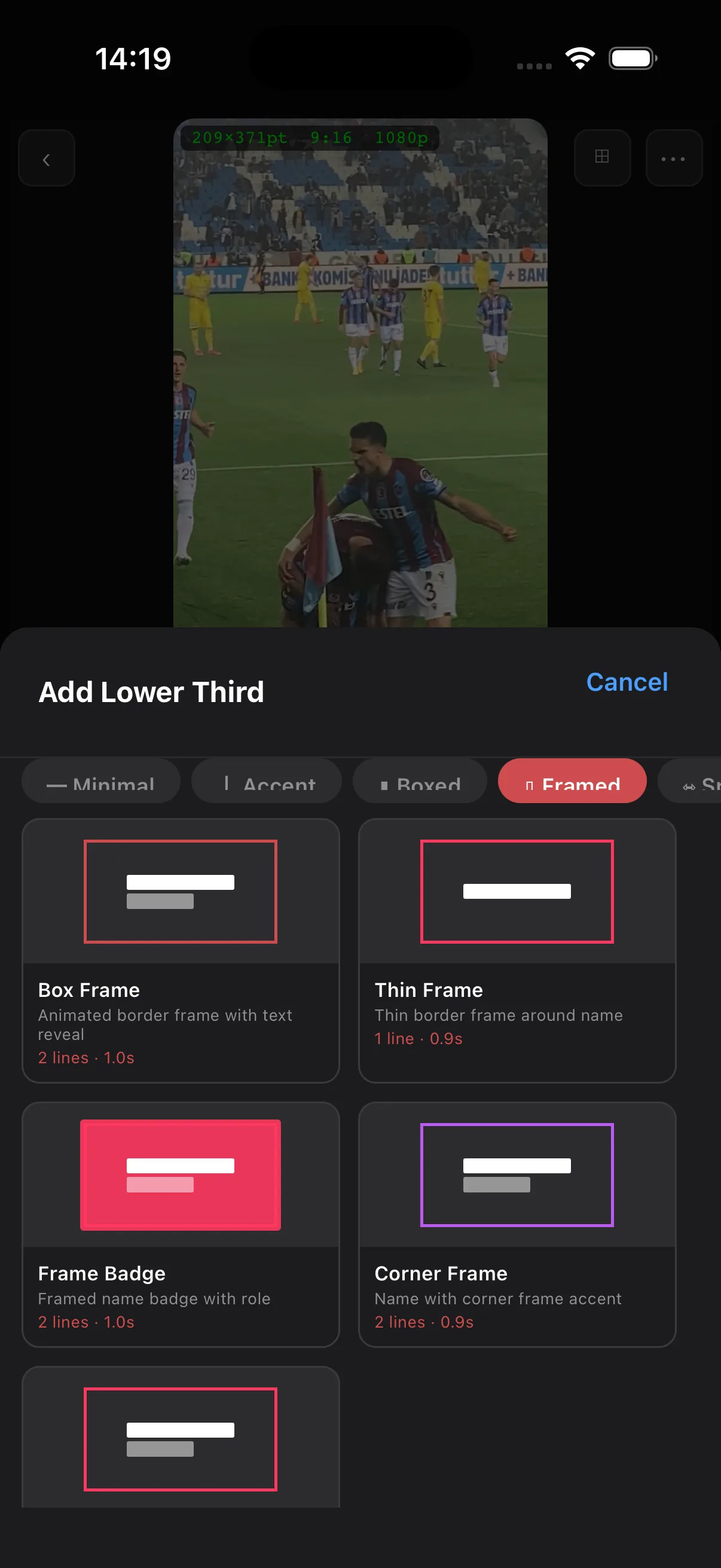
180 animated lower-third presets with editable text, brand color, weight, and entrance.
Collage Layouts
Grid, Mosaic, Diamond, and Freeform layouts for split-screen and multi-cam compositions.
Color Grading
Lift / Gamma / Gain wheels with temperature, tint, shadows, and highlights — applied per clip or globally.
Stock & SFX
Royalty-free Pexels stock video and photos plus a built-in SFX library — searchable by category, one tap to the timeline.
Per-Layer Fade In/Out
Independent fade handles on every layer for precise, end-to-end animation control.
Unlimited Undo / Redo
A full, replayable edit history kept on-device. Revert any edit — including AI.
AI Captions
Transcribe spoken audio into time-aligned captions, then style them with any title preset.
Smart Audio Ducking
Music automatically dips under detected speech so dialogue and voiceover always sit on top.
Light-Leak Overlays
Drop cinematic light leaks and lens flares over any layer — warm sunset, prism rainbow, soft anamorphic, and more.
Keyframe Animation
Animate any layer property — position, scale, rotation, opacity, color — with easing curves.
Typewriter Text
Character-by-character text reveals with adjustable cadence, cursor, and entrance easing.
Crop & Reframe
Reframe clips, photos, and shapes with per-edge crop handles and aspect-ratio snapping.
Strokes & Borders
Per-element stroke colour, width, and corner radius — for shapes, text, and image masks alike.
Brush Strokes
134 hand-drawn vector strokes — arrows, encircles, underlines, sparkles, neon one-liners, comic FX — with fills, gradients, and glow.
Junction Transitions
Cinematic blends that live on the cut itself — shader-driven wipes, liquids, and shades between any two clips.
Cam Move
A keyframeable virtual camera — pan, zoom, and rotate over your whole edit with movement presets and depth-aware parallax.
Watermark Control
Brand exports with a custom watermark — or turn it off entirely on supported tiers.
Portable Project Files
Every project is a single self-contained file. Move it between devices, back it up, or hand it to a teammate.
Auto-Save & Recovery
Every change commits to disk continuously. Crashes don't lose work — pick up exactly where you left off.
60 fps GPU Preview
Skia-powered preview with hardware-accelerated decoding — scrub a multi-track timeline without dropping frames.
Built for creators who don't compromise.
An editor that feels like it was designed by someone who actually edits. The MCP server is wild — Claude actually cuts my drafts now.
On-device background removal that doesn't choke. The color wheels and LUTs get me a cinematic look in minutes. Everything else feels slow now.
We ship three Reels a day. ExpoCut on a phone replaced a Mac for our editor. The TTS voiceover is shockingly good.
Tap a feature. See it work.
Eleven core surfaces. One unified editor.
Multi-track Timeline
Professional multi-layer timeline with unlimited video, audio, and text tracks. Drag, trim, split, and arrange clips with precision.
Intelligent by design. Efficient by nature.
We believe AI should empower creators — not consume resources blindly. Three principles guide the work.
Community-Driven Assets
AI-generated assets are designed to be shared, reused, and enhanced across the creator community. Your creations contribute to a growing ecosystem.
Smart Token Optimization
Every AI interaction is optimized for minimal token usage without compromising quality. Caching, asset reuse, and efficient processing — by default.
Cross-Project Collaboration
Resources are portable by design. Enhance once, apply everywhere — seamlessly carry AI-improved elements across projects with no rework.
An editor your whole creative org can ship with.
Embed the ExpoCut engine in your own app via the SDK, ship a brand-controlled video tool to your customers, or scale long renders to a remote worker. Same scene graph, same portable project file, same on-device guarantees.
- SDK packages — modular core, engine, UI, AI & plugin modules
- Remote rendering — server-side export at scale
- White-label branding & watermark control
- Custom AI providers via the provider registry
- Audit log of every command, including AI
- SLA & private support tier
Be among the first.
Get early access through Apple TestFlight or Google Closed Testing and help shape the future of mobile video editing.
Apple TestFlight
iOS beta via TestFlight
Google Closed Testing
Android beta via Play Store
Request Early Access
Fill in your details and we'll send you an invite.
Questions, answered.
What video formats does ExpoCut support?
What devices are supported?
Can I use my own media?
Does ExpoCut have AI features?
Can Claude or ChatGPT control ExpoCut?
Does ExpoCut upload my videos to the cloud?
How many effects and transitions are included?
Can ExpoCut generate captions from speech?
Does music automatically duck under voiceover?
Can I keyframe my own animations?
Is there an SDK to embed ExpoCut in our own app?
What happens to my project if the app crashes?
Can I turn off analytics and crash reporting?
Which cloud AI providers can I plug in?
Why does ExpoCut ask for notifications?
Make something great.
Free plan available. iOS & Android. No account required.