Video Data Widgets: Scoreboards, Polls, QR Codes & More
Beyond text and shapes, ExpoCut has a whole catalog of data overlays — scoreboards, polls, stat bars, QR codes, tickers. They’re the graphics that make a video feel like a broadcast or an app. Here’s the toolbox.
Quick answer
In ExpoCut, tap Widget in the bottom bar (or + ▸ Widget) to open the Widgets catalog — 23 overlays filtered by All · News · Clock · Social · Sports. Tap one (News Ticker, Breaking Banner, News Alert, Live Clock, Countdown Timer, Stopwatch, Follower Counter, Like Burst, Comment Bubble, Poll, Scoreboard, Bar Chart Race, QR Code and more), pick a preset, fill its Content fields, adjust Style and Advanced, and tap Save. It lands on the canvas as its own layer with a 10-second clip; drag, resize and tap Style on its toolbar to re-edit.
- Widget is a bottom-bar entry; the catalog lists 23 widgets with one-line descriptions and category tabs.
- Every widget opens its own editor: presets at the top, then Content · Style · Advanced tabs and a Save button.
- Widgets are real layers — a 10 s clip on a T-row that you can move, resize, trim and keyframe.
- News Alert / Breaking Banner / Ticker for broadcast bits; Countdown, Stopwatch, Live Clock for time; Poll, Follower Counter, Like Burst for social.
- One hero widget per moment — support it with at most one more.
Titles label, shapes decorate — but widgets carry information. ExpoCut ships 22 of them: the scoreboards, polls, tickers, and QR codes that make a video feel like a TV broadcast or a polished app screen. They drop on the canvas as real layers you configure.
The widget catalog at a glance
| Widget | Use it for |
|---|---|
| Scoreboard | Sports, game shows, challenges |
| Poll | “Which one?” engagement, A vs B |
| Stat bar / fire-meter | Progress, hype meters, stats |
| Bar-chart race | Animated data-over-time videos |
| QR code | A scannable call-to-action |
| Countdown / stopwatch | Urgency, timing, intervals |
| Follower / like-burst / comment | Fake-out social proof, skits |
| News alert / ticker / banner | “Breaking news” bits, lower banners |
| Weather / clock / quote / confetti | Context, mood, celebration |
Step 1 — Add a widget
Tap Widget in the bottom bar
(Or the big + ▸ Widget.) The full catalog appears.
Pick the widget you need
Scoreboard, poll, QR, news alert — whatever fits the moment. Each row has a one-line description.
Configure its fields and Save
Every widget has its own editor — presets on top, then Content, Style and Advanced tabs. Fill in the fields (headline, team names, poll options, the QR link…) — the preview updates live — and tap Save.
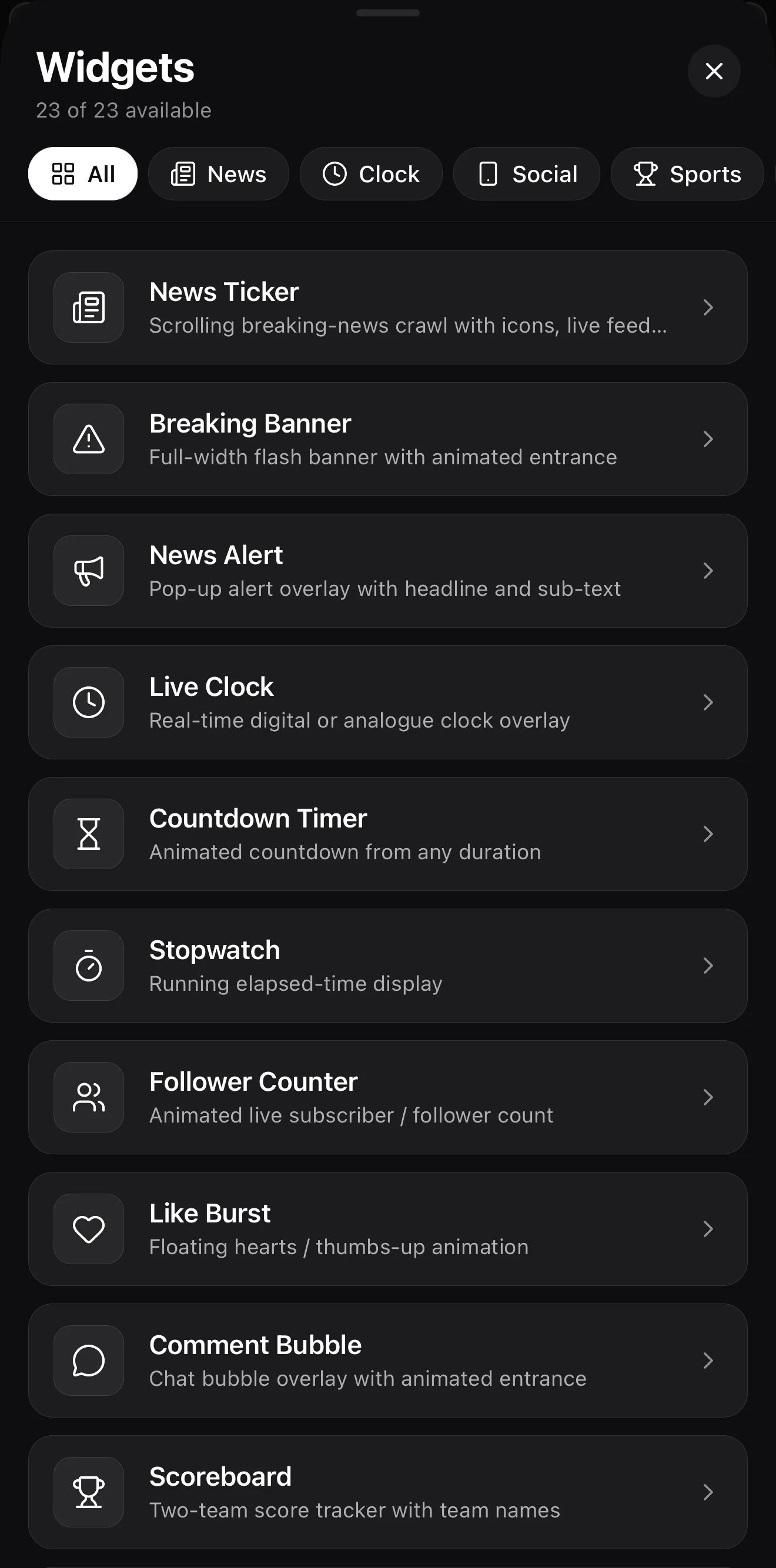 23 widgets
Filter by category — All · News · Clock · Social · Sports
Tap one to configure it
23 widgets
Filter by category — All · News · Clock · Social · Sports
Tap one to configure it
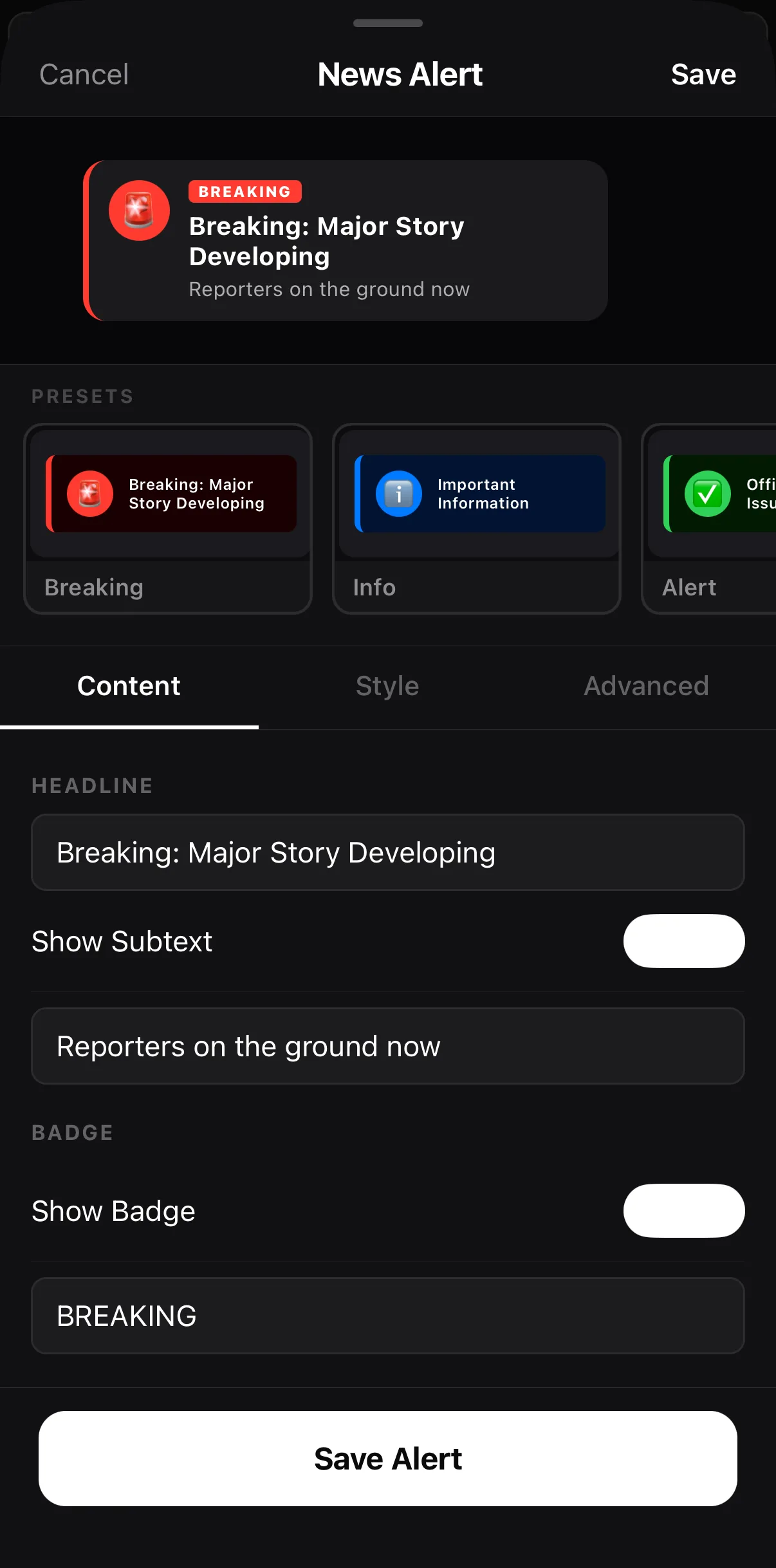 Presets — Breaking · Info · Alert
Content · Style · Advanced
Headline
Save Alert
Presets — Breaking · Info · Alert
Content · Style · Advanced
Headline
Save Alert
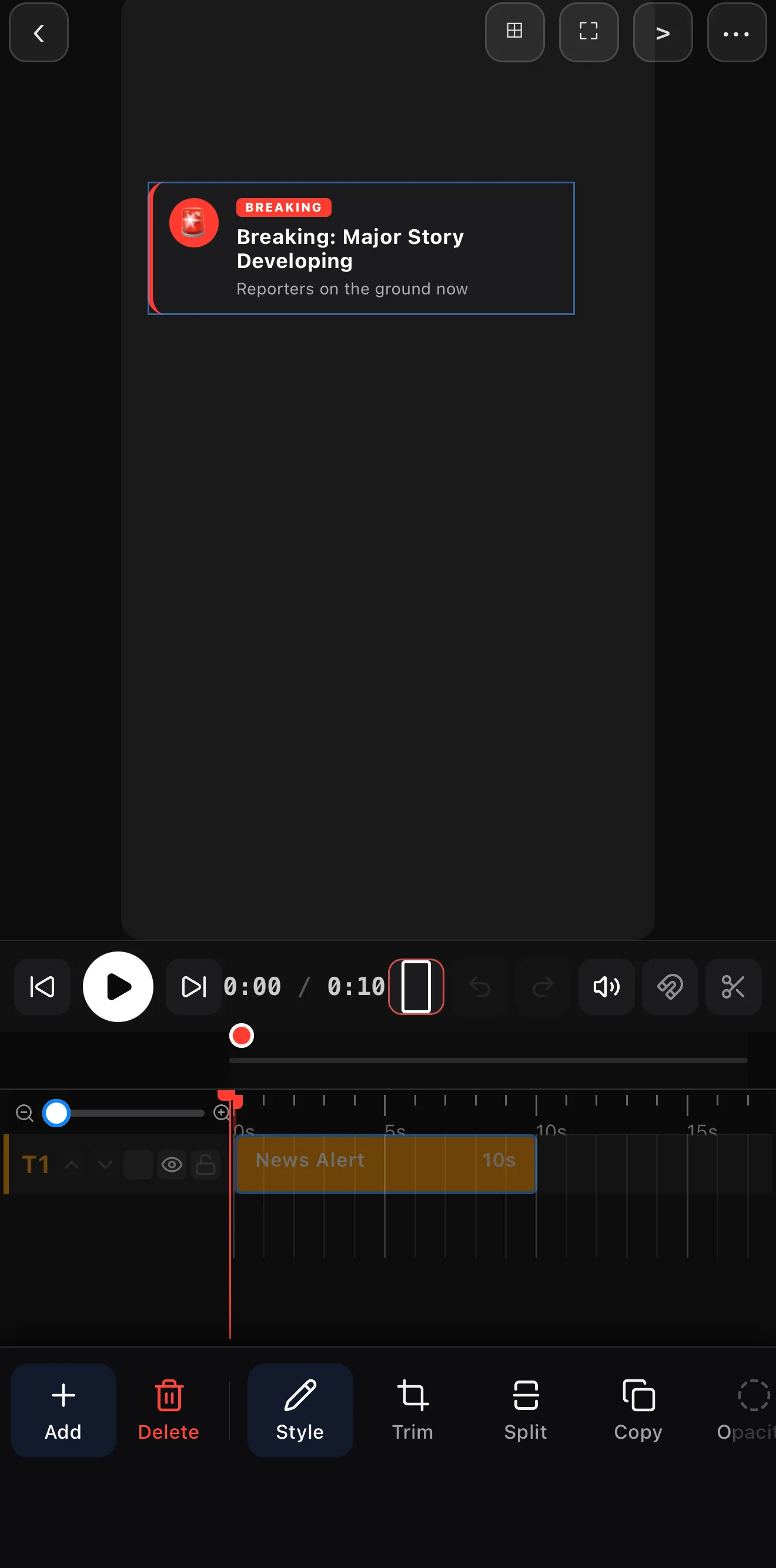 A widget lands on the canvas as a real, movable layer
News Alert clip on T1 — 10 s
A widget lands on the canvas as a real, movable layer
News Alert clip on T1 — 10 s
Step 2 — Style and place it
Widgets are layers, so the usual rules apply: keep them in the safe area, match colors to your brand, and don’t cover the action. A subtle shade behind a busy widget keeps it readable.
One hero widget per moment. A scoreboard and a poll and a ticker all at once is noise. Lead with one, support with at most one more.
A few recipes
- Engagement hook: a Poll widget — “Drop a 1 or a 2” — over your B-roll.
- Call to action: a QR Code in the last 3 seconds, with a title “Scan to shop.”
- Sports recap: a Scoreboard over the highlight, confetti on the win.
- Fake DM skit: comment and like-burst widgets for a social-native bit.
Where to go next
- Add a ticking clock: countdown timers.
- Animate data over time: bar chart race videos.
- Title the call-to-action: text & titles.
Twenty-two widgets, one canvas — the difference between a clip and a broadcast is usually the right overlay in the right corner.
Frequently asked questions
What widgets does ExpoCut have?
22 in total — clock, countdown, stopwatch, scoreboard, poll, stat bar, bar-chart race, quote, banner, news alert, follower count, like-burst, comment, QR code, weather, caption, confetti, fire-meter, news ticker, plus Lottie and shape widgets. Each drops on the canvas and is configured with its own fields.
How do I add a QR code to a video?
Add the QR Code widget, set the link it should encode, and place it on the canvas. Viewers can scan it to jump to your site, profile, or offer — a clean call-to-action for any video.
Can I make a poll or scoreboard?
Yes. The Poll widget shows options and results; the Scoreboard tracks team names and scores. Both are configurable widgets you style and position like any layer — great for sports, game shows, and engagement content.
Related guides
Overlay live data, not just text
Scoreboards, polls, QR codes, tickers and more — 22 configurable widgets that make your video feel like a broadcast. Drop one on the canvas.
Get ExpoCut Browse all guides