30+ Mobile Video Effects (and How to Use Each One)
Not sure which effect fits your clip? This is the menu. Thirty-plus mobile video effects, grouped by the feeling you’re after — cinematic, retro, energetic, dreamy, clean — so you can find the right one fast and add it in a couple of taps.
Quick answer
Pick a mood, then pull every effect from that one row. Cinematic = a Teal & Orange Look, film grain, a slow push; Energetic = speed ramps, Glitch / RGB Split presets, a Flicker or Strobe; Retro = the Retro engine (CRT Monitor, Deep CRT, Scanline TV, Interlace Cam, LED Billboard, Dot Matrix, Handheld Mono, Amber Terminal); Dreamy = light leaks, Dream Glow, lens blur, generative shaders; Clean = a Clarendon filter, animated titles, one dissolve. All of them are one tap from the clip: Edit ▸ FX (Presets for motion, Filters ▸ Add for looks and engines) or Edit ▸ Filters.
- The FX Presets tab is motion: Entrance · Exit · Motion (Shake, Pulse, Wave, Bounce, Flip, Heartbeat…) · Style (Neon Glow, Twinkle, Cinematic Bars) · Glitch (Glitch, RGB Split, Flicker).
- The FX Filters tab is texture and colour: seven engines with one-tap Looks, each editable underneath.
- Every tile previews on your own footage — audition first, then commit.
- One mood per video; lower the intensity until it feels intentional.
The hardest part of effects isn’t adding them — it’s choosing. So here’s the menu. Thirty-plus mobile video effects, grouped by the vibe you’re going for. Find the feeling, pick the effect, add it in two taps. Every one of these runs on your phone with a live preview.
How to read this menu
Effects are organised by mood, not by menu location — because you usually start with a feeling (“I want this to look retro”) not a technical name. For the how it all fits together, see the complete video effects guide; for color specifically, the filters & LUTs walkthrough.
🎬 Cinematic — make it look like a film
| Effect | What it does | When |
|---|---|---|
| Teal & Orange grade | Teal shadows, warm highlights | The default “movie” look |
| Film / Vintage filter | Faded contrast, warm cast | Nostalgic, story-driven clips |
| Letterbox bars | Black bars top & bottom | Instant widescreen feel |
| Slow push (Ken Burns) | Gentle zoom over the shot | Adds life to a static frame |
| Film grain | Subtle texture overlay | Takes the “digital” edge off |
Stack two or three of these lightly and almost any clip reads cinematic. See the filters guide for the color half.
⚡ Energetic — for fast, punchy edits
| Effect | What it does | When |
|---|---|---|
| Speed ramp | Slows then snaps to fast | Big reveals, beat drops |
| Shake / camera punch | Quick handheld jolt | Hit it on the beat |
| Zoom punch | Fast scale-in | Emphasis on a word or cut |
| Glitch / RGB split | Digital distortion | Transitions, hype moments |
| Strobe / flash cut | Rapid bright frames | High-energy montages |
📼 Retro — VHS, 80s, analog
| Effect | What it does |
|---|---|
| Retro engine — CRT Monitor, Deep CRT, Scanline TV, Interlace Cam, LED Billboard, Dot Matrix, Handheld Mono, Amber Terminal | Scanlines, chroma bleed, phosphor glow, pixel grids — one tap each under FX ▸ Filters ▸ Retro |
| VCR Distortion / Datamosh | Tracking wobble and compression smear (Custom list) |
| 80s / 70s filter | Saturated, warm, faded (Filters ▸ Vintage) |
| Duotone | Two-color graphic look |
| Old-film | Dust, scratches, flicker (Light Flicker engine) |
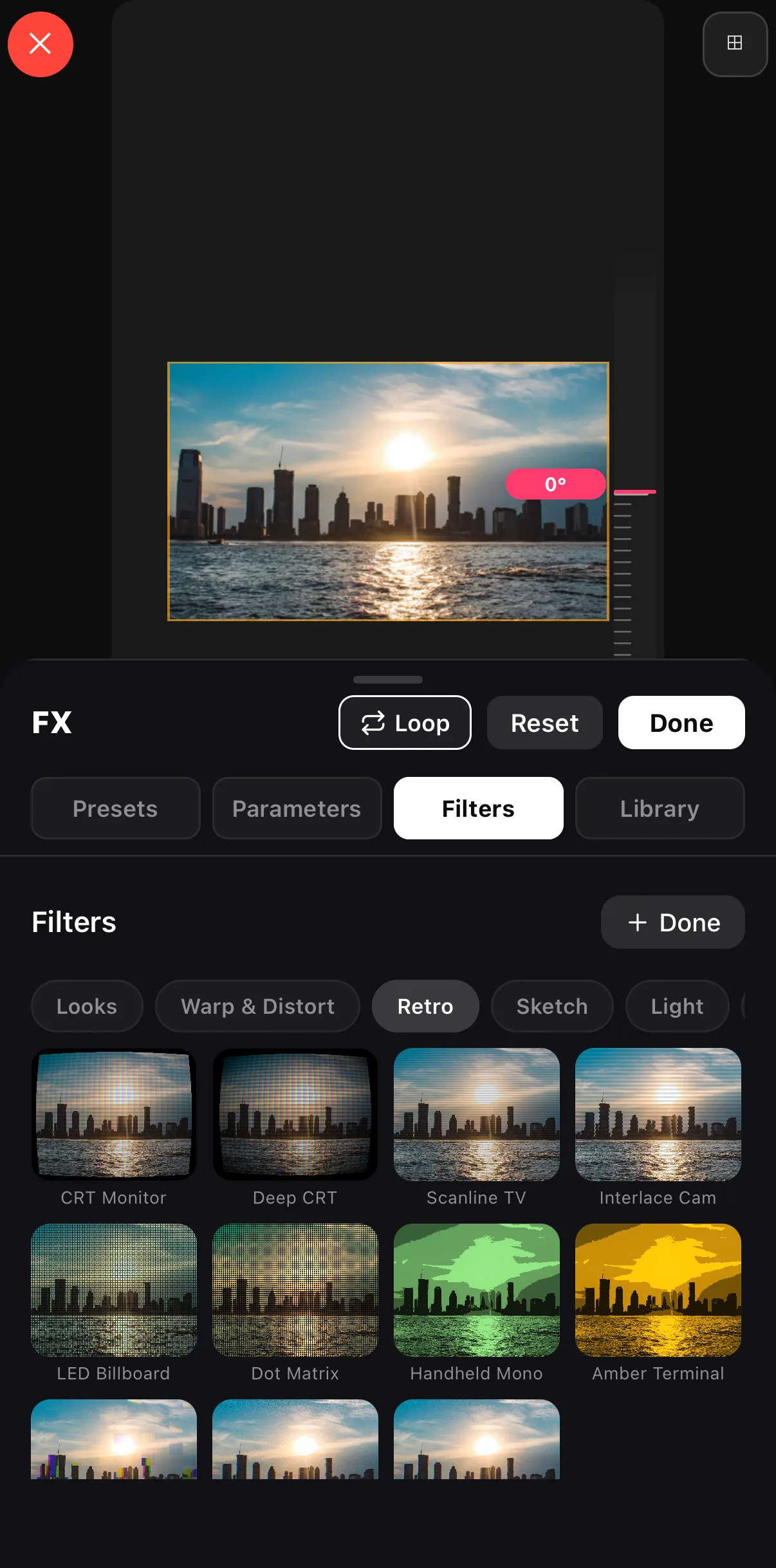 Looks · Warp & Distort · Retro · Sketch · Light
The Retro engine’s Looks
Looks · Warp & Distort · Retro · Sketch · Light
The Retro engine’s Looks
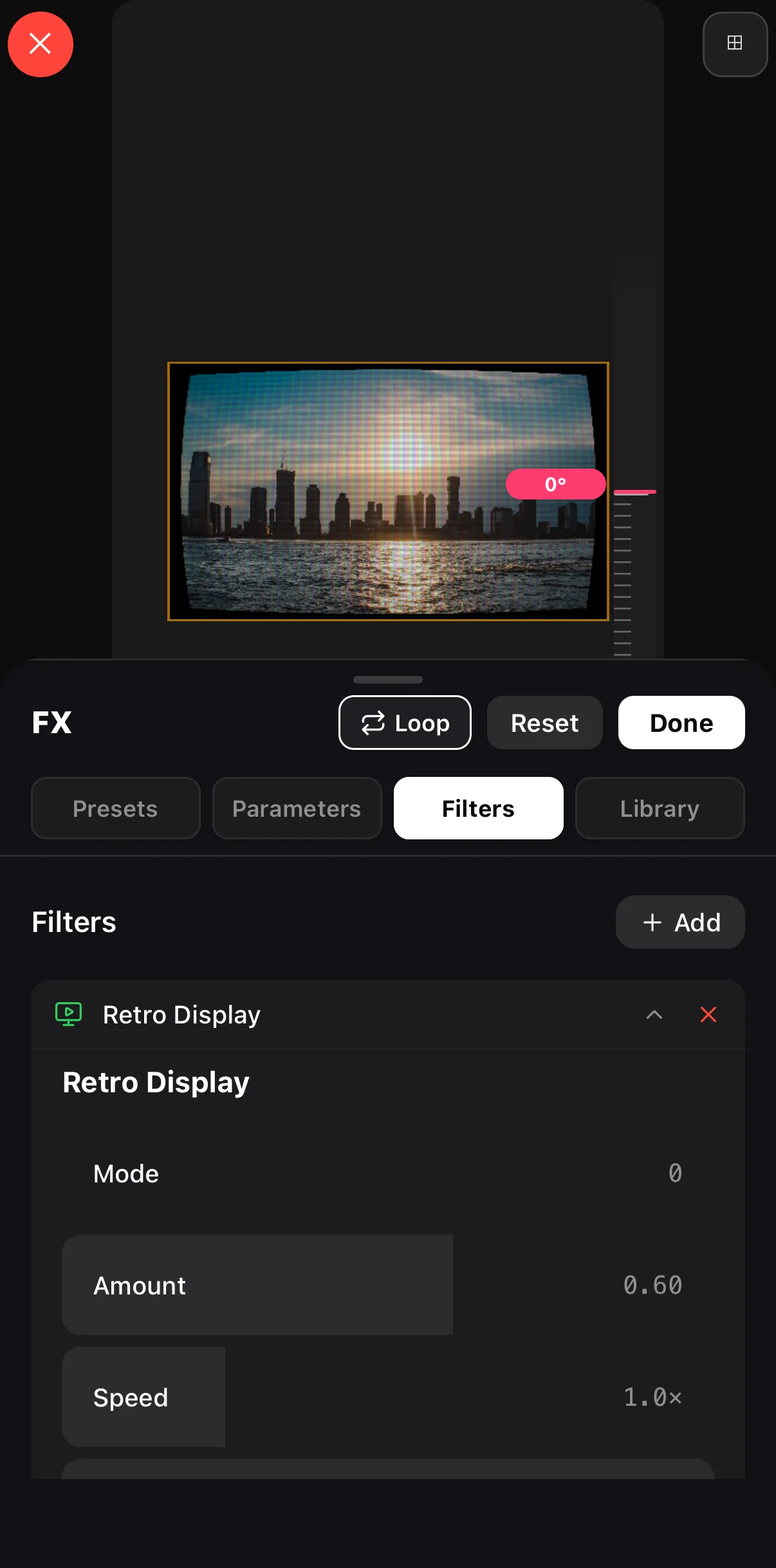 Live on the canvas
Mode · Amount · Speed
Live on the canvas
Mode · Amount · Speed
🌙 Dreamy — soft and atmospheric
| Effect | What it does |
|---|---|
| Light leaks & bokeh | Warm organic flares over footage |
| Soft glow / bloom | Halation on highlights |
| Background blur | Isolate your subject |
| Generative shaders | Aurora, nebula, rain-on-glass backgrounds |
| Slow-motion | Stretch a moment |
The generative shaders (aurora, nebula, rain-on-glass) render in real time and make perfect backdrops behind text.
✨ Clean & modern — for brands and social
| Effect | What it does |
|---|---|
| Clarendon / clean filter | Bright, punchy, neutral |
| Animated text | Fade, typewriter, word-by-word titles |
| Smooth transitions | Swipe, dissolve between scenes |
| Subtle color pop | Lift saturation just enough |
| Lower-thirds & shapes | Clean graphic overlays |
The two-tap workflow for any of them
Pick your clip
Tap the clip on the timeline.
Open effects
Tap the pinned Edit button (or drag the corner grip) to reveal the transform toolbar, then choose Filters (colour looks), FX (motion presets and the engine looks), or a Transition — or tap Speed / Keyframes on the clip toolbar for ramps and zooms.
Audition & dial in
Tap an effect to preview it live, then lower the intensity until it feels intentional. Tap Done.
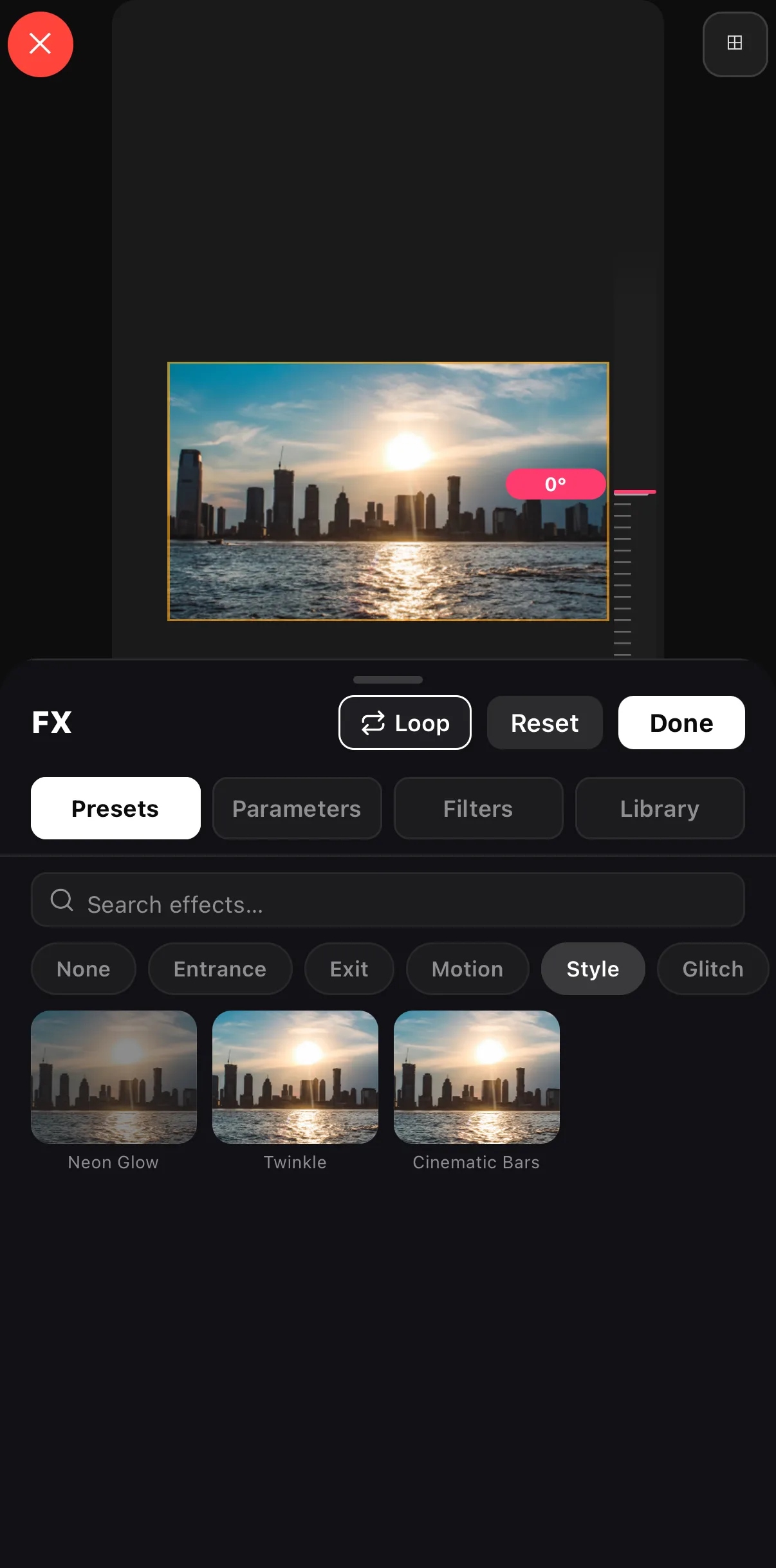 None · Entrance · Exit · Motion · Style · Glitch
Tap a preset to audition it on your clip
None · Entrance · Exit · Motion · Style · Glitch
Tap a preset to audition it on your clip
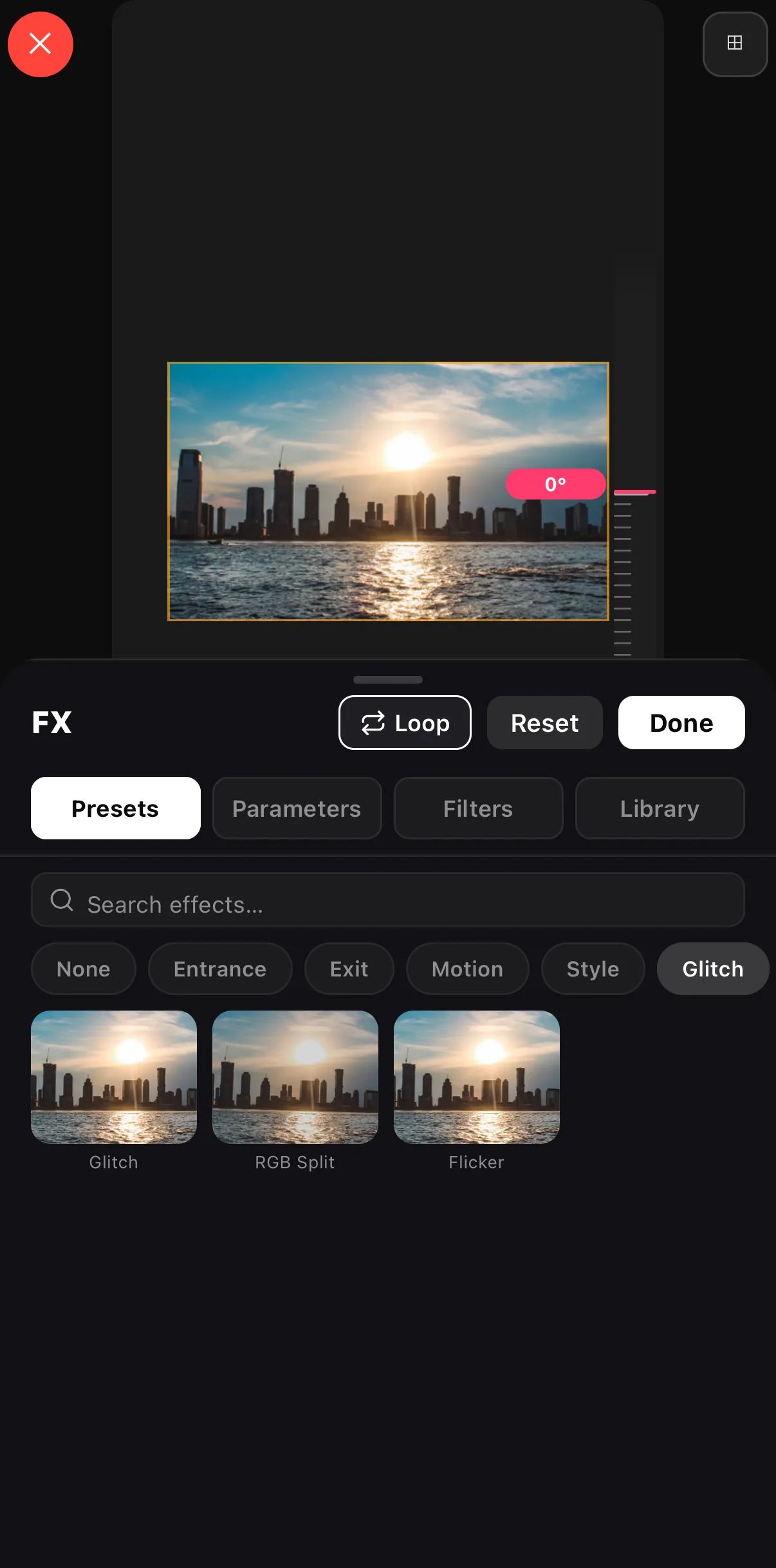 Glitch · RGB Split · Flicker
The one rule that separates good from amateur: pick one mood and commit. A cinematic clip with a glitch transition and a neon filter isn’t three effects — it’s three moods fighting. Choose a vibe from the menu above and pull every effect from that one row.
Where to go next
- Understand the categories behind the menu: complete video effects guide.
- Master color — the highest-impact effect: filters & LUTs.
- See where effects fit in a full edit: mobile video editor guide.
- Repeat a look across many videos: video automation.
Bookmark this page as your effects menu. Next time you’re staring at a clip wondering what it needs, scroll to the mood you want and pick a row.
Frequently asked questions
What is the best video effects app for mobile?
The best one gives you live preview, sensible defaults, and effects across every category — color, motion, transitions, text and overlays — without a watermark on export. ExpoCut runs all of these on-device with real-time preview, so you can audition effects on your own footage before committing.
How do I add a glitch or VHS effect on my phone?
Select your clip, open the effects panel, and choose a glitch, VHS or retro look from the distortion/vintage category. Lower the intensity so it accents the clip rather than overwhelming it, and consider limiting it to a beat or a single moment.
Are these effects free?
Core effects in a good mobile editor are free to learn and use. Always check the export screen for a watermark before posting — a quality editor exports clean.
Which effect makes videos look cinematic?
A cinematic look is mostly color plus a subtle slow push. Start with a Teal & Orange or film filter at ~60% intensity, add a gentle zoom, and grade for slightly crushed blacks. Restraint is what reads as 'cinematic.'
Related guides
Try these effects on your own clip
Every effect here previews live and renders on-device — no watermark, no upload. Open a clip and start auditioning.
Get ExpoCut Browse all guides