How to Add Borders & Frames to a Video (on Your Phone)
A border is a tiny detail that does a lot — it separates a clip from its background, adds a retro or neon vibe, and makes a picture-in-picture look intentional. Here’s the frame toolbox.
Quick answer
To add a border in ExpoCut: select the layer, tap the pencil (Edit), swipe the toolbar to Border and flip the switch on. Tap a preset — Polaroid, Film Strip, Neon Pink, Rainbow, Cyan Breathe — or build your own with Width, Pattern (solid/dashed/dotted/double), Color, Sides (with per-side widths) and corner Radius. The optional Glow switch adds Static, Pulse, Rainbow, Gradient, Chase or Breathe lighting. Tap Done.
- Border lives on the Edit (pencil) toolbar next to Light, Crop and Camera — it’s a full editor with a live preview above it.
- Five presets on top; Polaroid sets a 14 px white frame with a 4 px radius and a wider base in one tap.
- Custom: Width slider, Pattern, colour swatches, per-side toggles (+ Per-side widths), Radius.
- Glow has six modes (Static · Pulse · Rainbow · Gradient · Chase · Breathe) — save it for one element, not everything.
- Borders render on export exactly as previewed, on video, photo and picture-in-picture layers alike.
Borders are the most underrated polish in video. The right frame separates your clip from the background, sets a mood (retro, neon, scrapbook), and makes overlays look deliberate instead of pasted on. ExpoCut ships presets and full custom control.
The frame presets
| Preset | Vibe |
|---|---|
| Polaroid | Retro photo, thick bottom edge — slideshows & memories |
| Film Strip | Cinematic, analog — montages & intros |
| Neon | Glowing edge — night, club, gaming |
| Custom | Your color, thickness, and style |
Step 1 — Add a border
Select the layer
A video, photo, or a picture-in-picture inset.
Tap the pencil, then Border
The pencil (Edit) opens the transform toolbar; swipe it left to find Border (next to Crop and Camera). Flip the Border switch on.
Pick a look
Tap a preset, or go custom: set the Width, Pattern — solid, dashed, dotted, or double — a Color, which Sides get the frame (with + Per-side widths), and the corner Radius. Tap Done.
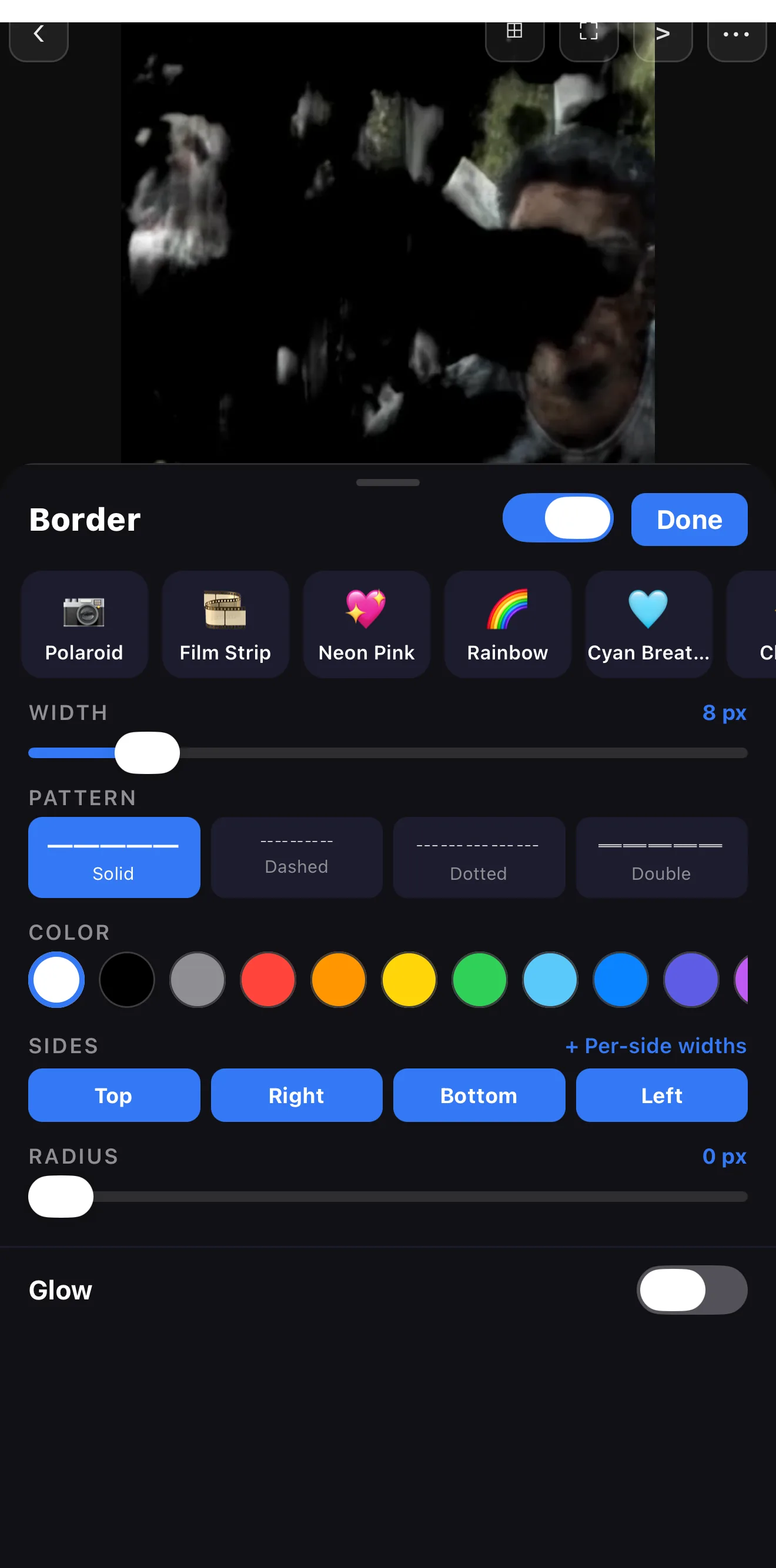 Border on/off
Presets
Width
Sides + per-side widths
Glow (off for calm frames)
Border on/off
Presets
Width
Sides + per-side widths
Glow (off for calm frames)
Step 2 — Add a glow (optional)
Flip the Glow switch at the bottom of the Border editor to make the edge emit soft coloured light, then pick a mode — Static, Pulse, Rainbow, Gradient, Chase or Breathe. A glowing frame is the quickest way to make a picture-in-picture or a title card separate cleanly from busy footage.
Keep the demo content calm. A subtle frame frames; a thick neon glow on everything competes with your content. Use the bold looks on purpose, for one element.
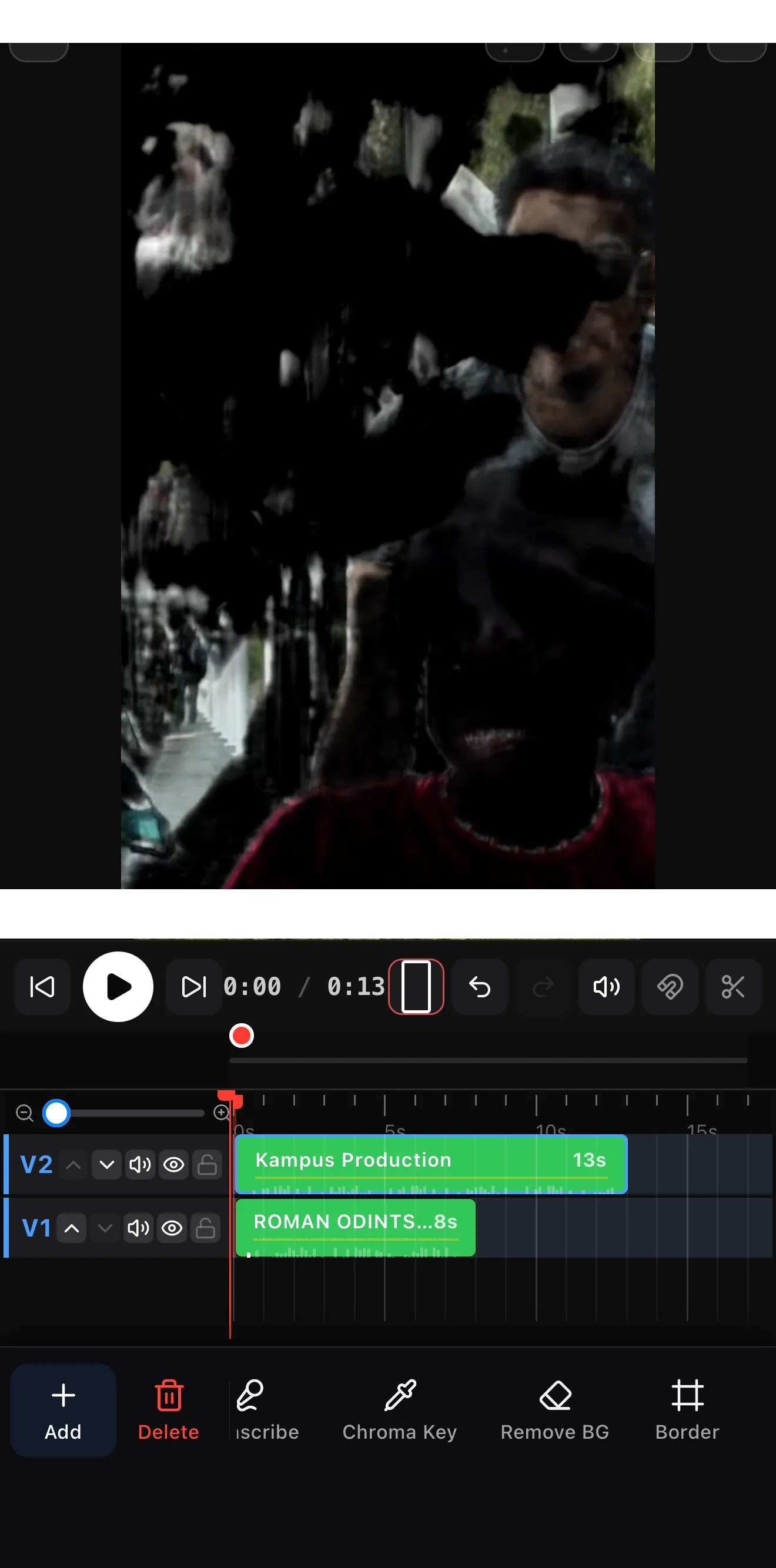 Polaroid — wider base
Where borders shine
- Picture-in-picture — a clean edge so the inset reads as separate.
- Photo slideshows — Polaroid frames for a scrapbook feel.
- Highlights — a colored frame to spotlight one clip in a montage.
- Brand color — a thin border in your brand color ties a series together.
Where to go next
- Frame an inset cleanly: picture-in-picture & shapes/masks.
- Build a framed slideshow: stock footage & importing clips.
- Match the frame to your brand: brand kits & .ectpl.
Pick a frame, set the edge, add a glow where it counts — the smallest detail that makes a clip look framed instead of dropped in.
Frequently asked questions
How do I add a border to a video?
Select the layer, open Border, and pick a preset (like Polaroid, Film Strip, or Neon) or set a custom border — color, thickness, and style (solid, dashed, dotted, or double). You can even set different widths per side.
How do I make a glowing neon border?
Use the Neon preset, or add a border and turn on border glow so the edge emits a soft colored light. It's perfect for night/club aesthetics and for making a picture-in-picture pop off the background.
Can I frame a photo like a Polaroid?
Yes — the Polaroid preset adds the classic thick-bottom white frame, great for photo slideshows and scrapbook-style edits.
Related guides
Frame it like you mean it
Polaroid, film strip, neon and custom borders — with per-side widths and a glowing edge. The small detail that makes a clip look designed.
Get ExpoCut Browse all guides