How to Make a Meme Video (Captions, Zoom Punches & SFX)
Meme videos look effortless because the moves are simple: big bold captions, a hard zoom on the reaction, a dumb sound effect at the perfect moment. Here’s the meme toolkit.
Quick answer
To make a meme video in ExpoCut: add a Text layer, tap the IMPACT TITLE style and drag the caption to the top of the frame; select the clip, tap the pencil (Edit), park the playhead on the reaction and type a bigger W/H — a second keyframe is added automatically, that’s the zoom punch; tap Audio ▸ Explore, search “boing” or “air horn” and tap Add so the sound lands on the playhead; and tap Freeze on the clip toolbar to hold the punchline for 3 seconds. Export 9:16.
- IMPACT TITLE in the text tray’s Style tab is the classic meme caption — heavy white type with a black outline.
- The zoom punch is two keyframes: add one at the start, move the playhead to the reaction, then type a bigger W/H — ExpoCut adds keyframe 2 for you.
- Sound effects live in Audio ▸ Explore (200 tagged sounds — cartoon, explosion, alarm…); an added SFX starts exactly at the playhead.
- Freeze on the clip toolbar inserts a 3-second hold at the playhead — the clip grows from 5 s to 8 s.
- Timing beats polish: park the playhead on the visual hit before you add the SFX or the freeze.
Meme videos feel effortless because the moves are simple — and the timing does the work. Big captions, a hard zoom on the reaction, a dumb sound effect on the beat, and a freeze on the punchline. Master those four and any clip becomes shareable.
The meme toolkit
| Move | Where it is in ExpoCut | Why it lands |
|---|---|---|
| Top/bottom captions | Text ▸ Style ▸ IMPACT TITLE | Sets up the joke; instantly readable |
| Zoom punch | Pencil (Edit) ▸ keyframe ▸ bigger W/H | Snaps focus to the reaction |
| Sound effect on the hit | Audio ▸ Explore ▸ search ▸ Add | The sync is the punchline |
| Freeze on the punchline | Clip toolbar ▸ Freeze | Holds the moment so the joke lands |
Step 1 — Bold meme captions
Tap Text in the bottom bar, then the Text tile. The tray opens on its Style tab — tap IMPACT TITLE and you have the classic meme look: heavy white type, black outline, readable over anything. Type one short line into the field and tap ✓.
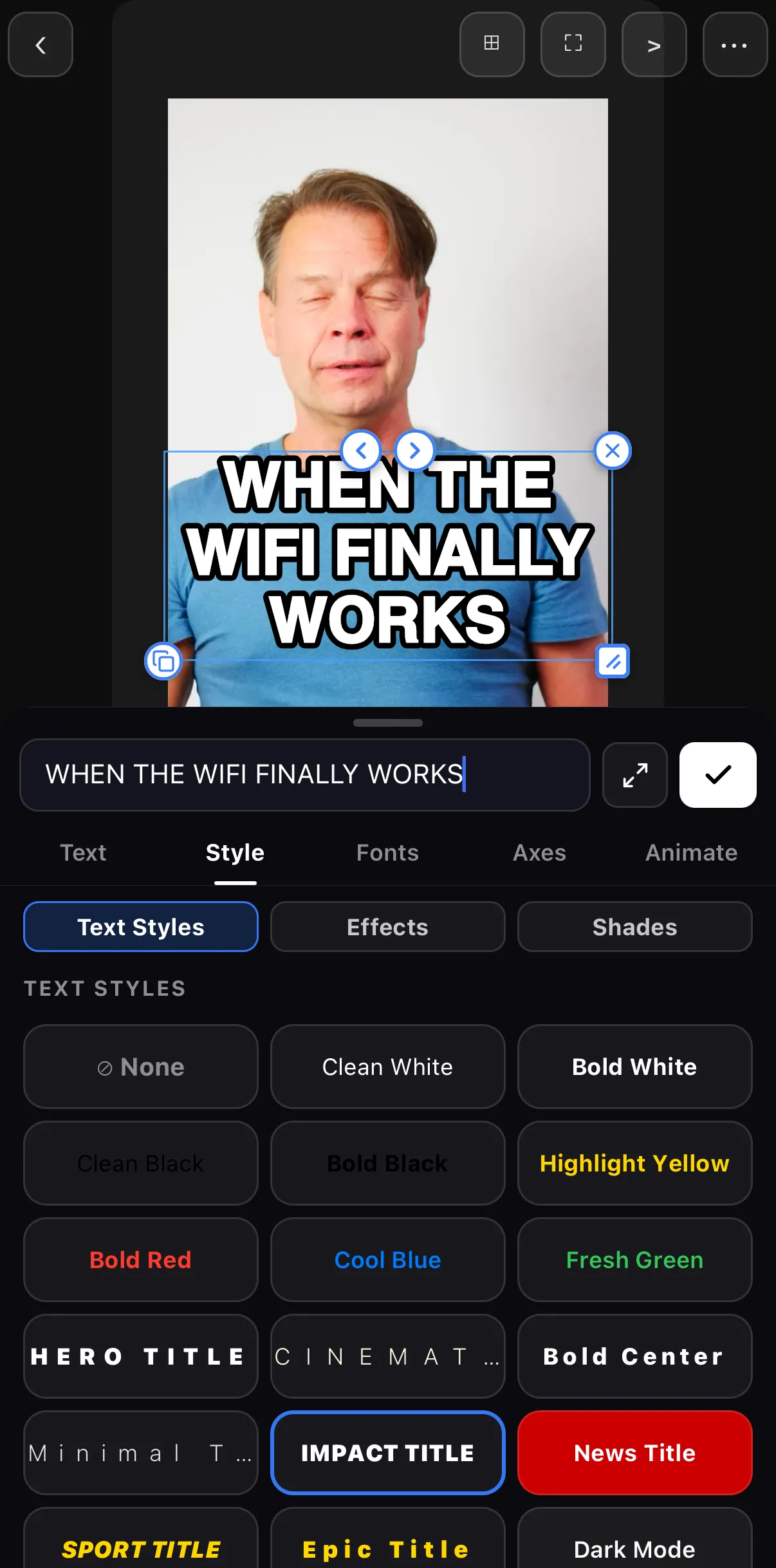 Type the line
IMPACT TITLE
Type the line
IMPACT TITLE
Then drag the caption to the top of the frame (or the bottom — set-up at the top, punchline at the bottom).
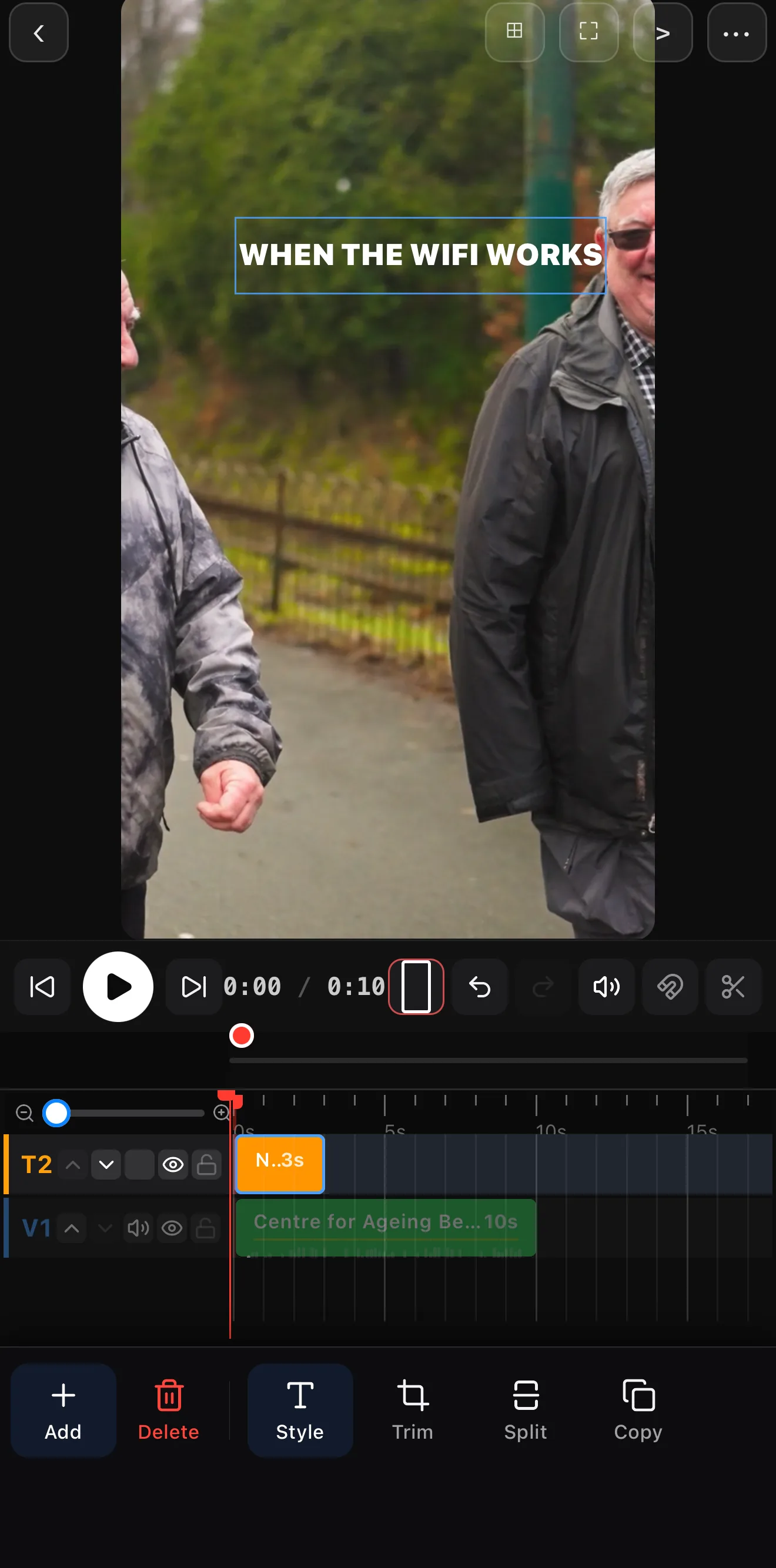 One bold line, parked at the top
Add the text
Bottom bar Text ▸ Text. Tap IMPACT TITLE on the Style tab, type the line, tap ✓.
Park it
Drag the caption to the top of the canvas and tap the empty canvas to deselect.
Set up the zoom punch
Tap the video clip, then the pencil (Edit). Tap Keyframe ◇+ at the start of the clip.
Punch in on the reaction
Drag the playhead to the reaction frame and type a bigger W and H (383×683 → 519×927 here). Keyframe 2 appears automatically — that’s the punch.
Drop the sound effect
Tap ✕ to leave Edit mode, leave the playhead on the hit, then Audio ▸ Explore, search “boing”, tap Add.
Freeze the punchline
Select the clip, keep the playhead on the reaction, and tap Freeze on the clip toolbar.
Step 2 — The zoom punch
On the reaction frame the camera should snap in. Select the clip and tap the pencil (Edit) — the transform view with a W/H readout and a Keyframe row appears. Tap Keyframe ◇+ at the start so the clip begins at normal size, move the playhead to the reaction, and type a bigger W and H (about 135 %). ExpoCut adds keyframe 2 for you; between 1 and 2 the frame scales up — the visual equivalent of “…wait.”
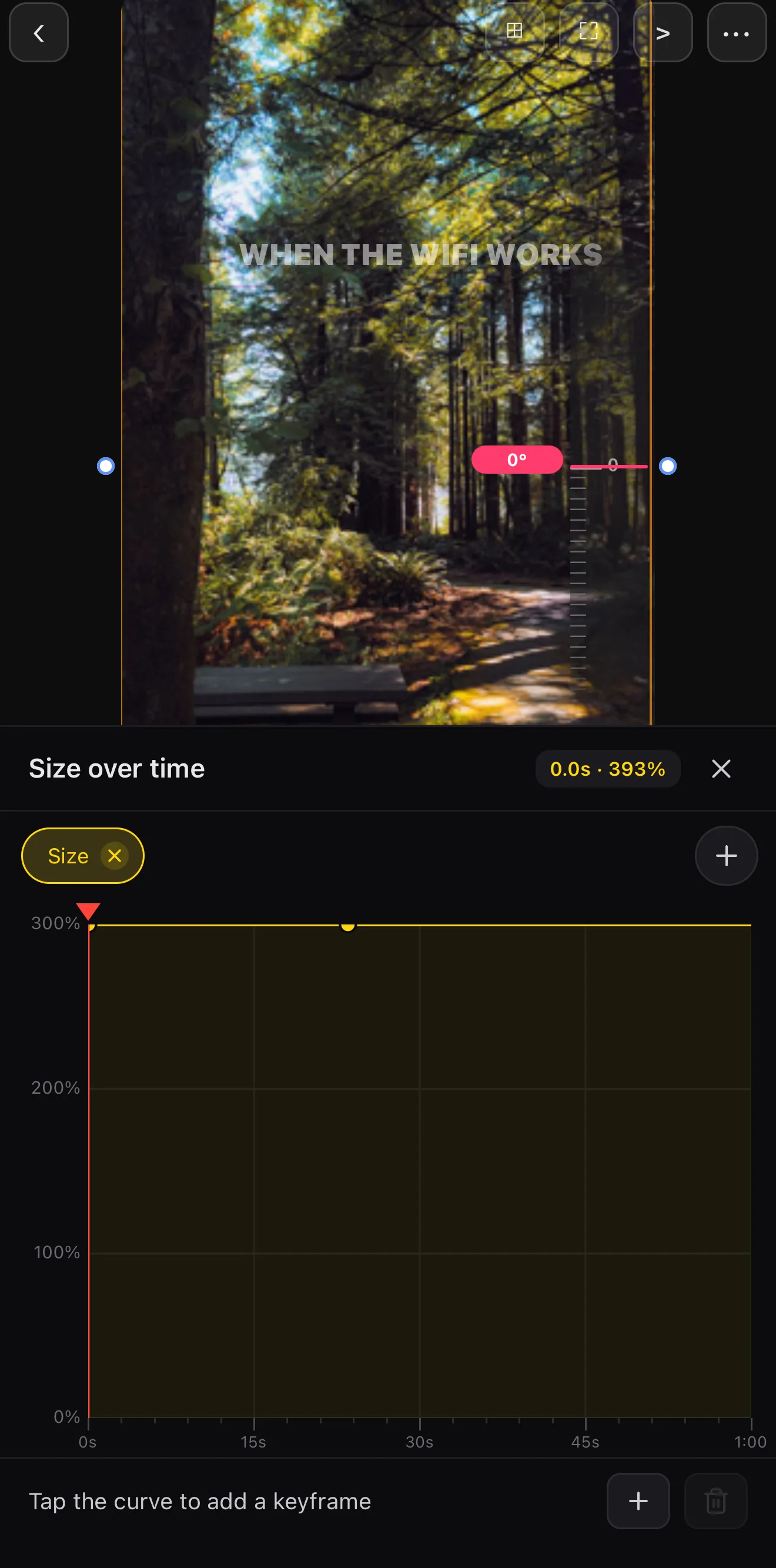 W / H — punch to ~135 %
Keyframes 1 → 2
W / H — punch to ~135 %
Keyframes 1 → 2
A keyframes deep-dive covers easing and the Graph editor if you want the punch to overshoot and settle.
Step 3 — Sound effect on the beat
Tap Audio in the bottom bar. The Explore tab is a searchable library of tagged sound effects — search boing, air horn, explosion, doorbell, whatever the beat needs. Park the playhead on the visual hit first, then tap Add: the sound starts exactly at the playhead.
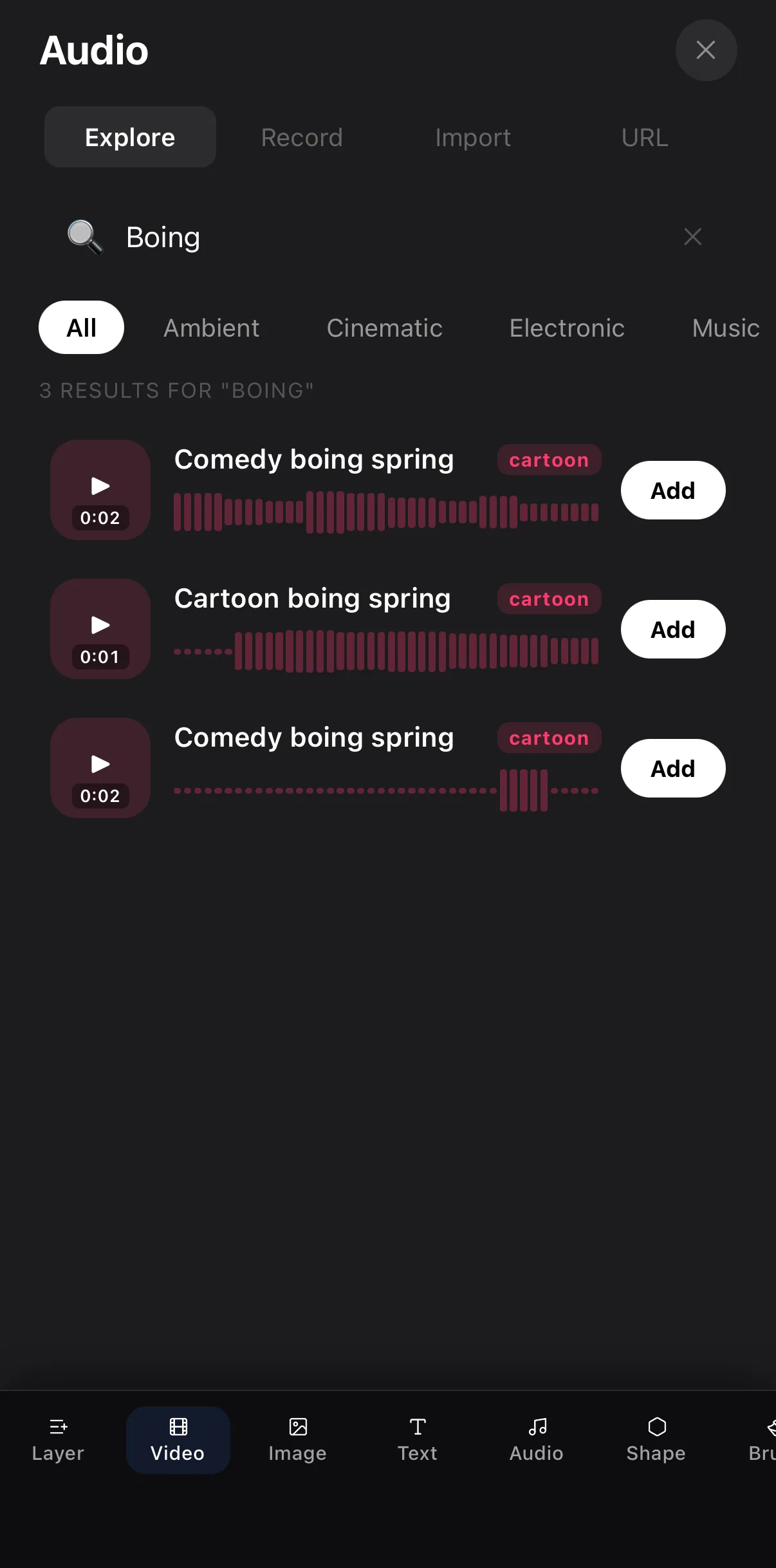 Search “boing”, “air horn”, “scratch”
Add
Search “boing”, “air horn”, “scratch”
Add
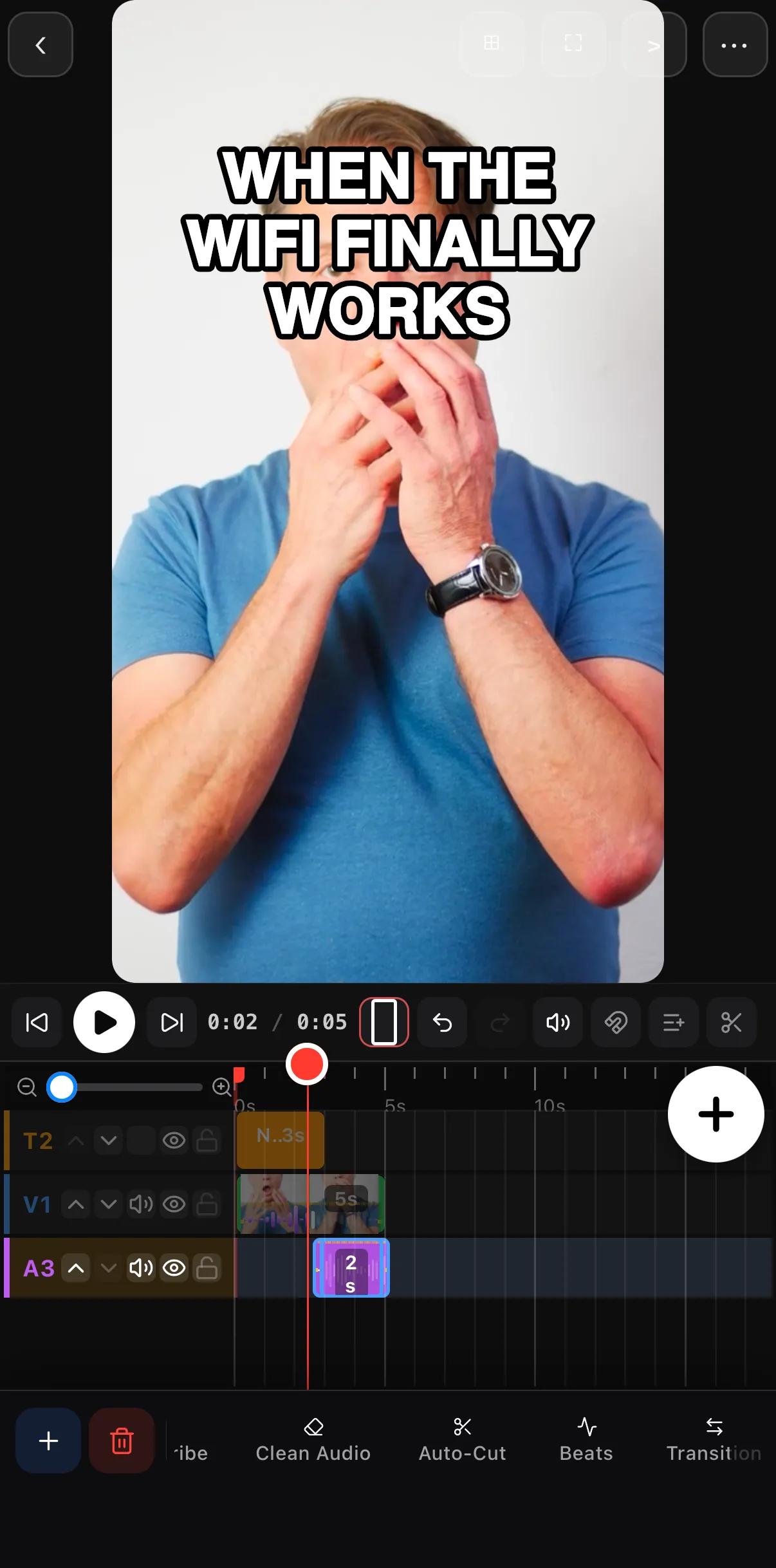 Park the playhead on the hit first
SFX lands at the playhead
Park the playhead on the hit first
SFX lands at the playhead
Step 4 — Freeze the punchline
Select the clip, keep the playhead on the reaction, and tap Freeze on the clip toolbar. ExpoCut inserts a 3-second still at that frame — the clip grows from 5 s to 8 s — so the caption and the face hold long enough to laugh (and to screenshot).
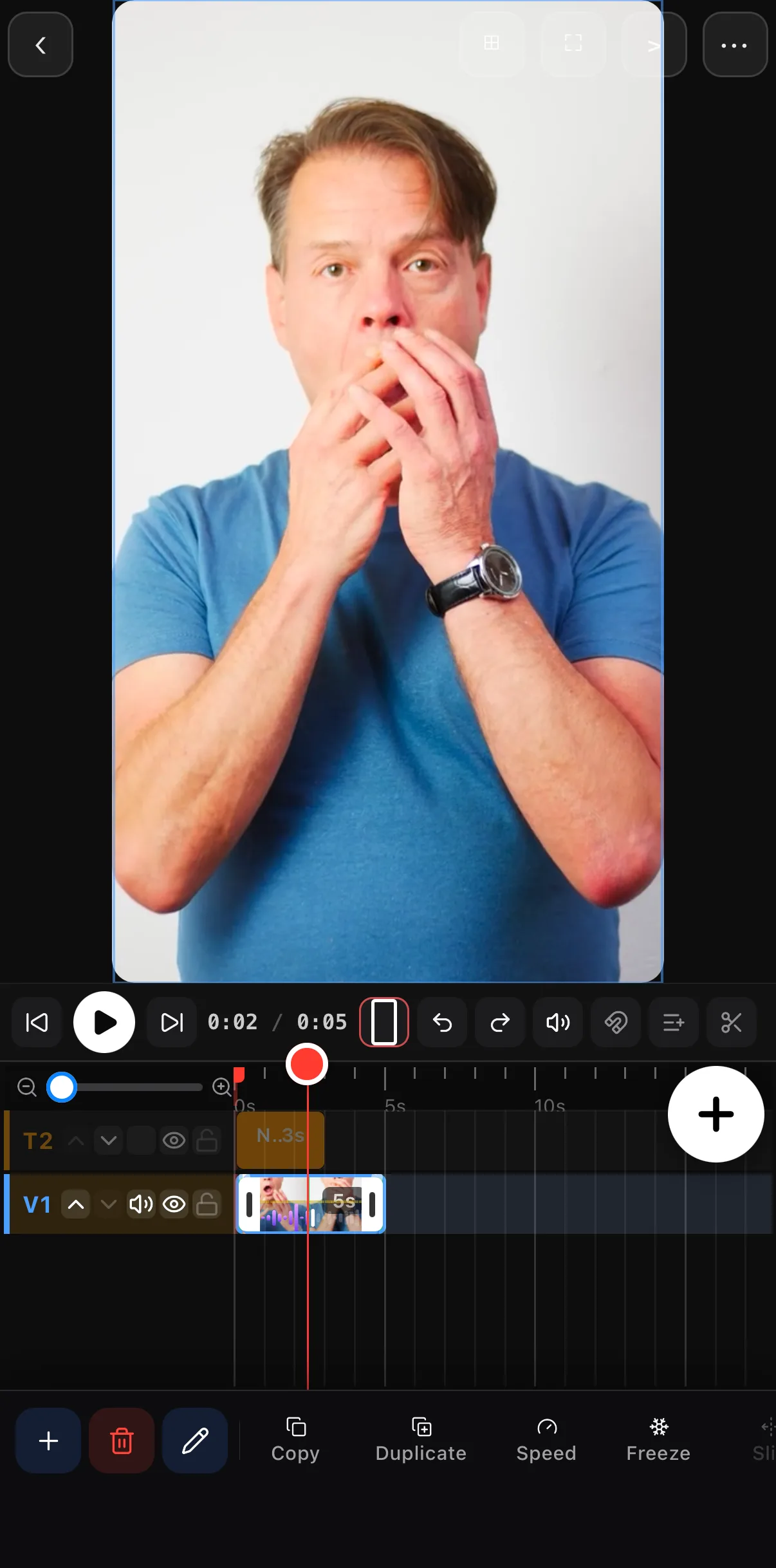 Playhead on the reaction
Freeze
Playhead on the reaction
Freeze
Timing beats polish. A meme with rough footage but perfect SFX timing crushes a pretty one that’s a half-second late. Get the hit on the beat.
Where to go next
- Bold caption text: animated text & titles.
- The zoom punch: keyframes & motion paths.
- More on freezing and reversing: reverse & freeze-frame.
- Time the SFX: add music & audio.
Caption it, punch in, hit the SFX, freeze the laugh — four simple moves and a random clip becomes the thing people send to the group chat.
Frequently asked questions
How do I add meme text to a video?
Add bold text at the top and/or bottom of the frame — heavy white type with a dark outline or shade so it reads over anything. Keep the line short and punchy; the joke lands faster when the text is instantly readable.
How do I do the zoom-punch effect?
Keyframe a fast scale-up on the reaction frame — the camera snaps in for emphasis, often with a tiny shake — then back out. Pair it with a record-scratch or 'boing' sound effect right on the punch for the classic meme beat.
What sound effects make a meme funnier?
Timing-based ones: a boing on a reaction, an air-horn on the reveal, a sharp explosion on the 'wait, what.' In ExpoCut, tap Audio ▸ Explore, search the sound, park the playhead on the visual hit and tap Add — the SFX starts exactly there. The sync is the whole joke.
How do I freeze the frame on the punchline?
Select the clip, move the playhead to the frame you want to hold, and tap Freeze on the clip toolbar. ExpoCut inserts a 3-second still at that point and the clip gets 3 seconds longer. Use it with the caption up so the viewer has time to laugh.
Related guides
Turn a clip into a joke
Bold captions, zoom punches, a perfectly-timed sound effect, a freeze on the punchline — the meme toolkit, on your phone.
Get ExpoCut Browse all guides