Auto-Cut Silence & Turn a Long Video Into a Short
The two slowest jobs in editing are the ones with no creative decision in them: deleting the pauses, and finding the good bits in a long take. ExpoCut automates both — Auto-Cut on the clip toolbar for the pauses, and a long-video-to-short tool your AI assistant can run for the highlights.
Quick answer
In ExpoCut, select a clip with speech (a video with audio, or a voiceover on an A-row) and tap Auto-Cut on its toolbar, next to Clean Audio. It scans the audio for silent gaps of about half a second or longer (around −40 dB), ripple-deletes them and closes the timeline so the clip plays as one tight cut; if nothing qualifies it says No silence to cut. To turn a long take into a short, enable Settings ▸ AI Integration (MCP Server) and ask your assistant to run long_video_to_short on the clip with a target length — it trims dead air, keeps the most energetic passages in chronological order and lays them end to end; auto_remove_silence exposes Auto-Cut’s threshold, minimum gap and padding for finer control.
- Auto-Cut is on the clip toolbar for both video clips and audio rows; one tap, no settings, Undo reverses it.
- It’s a ripple delete: the silent gaps are removed and everything after slides left — the media file is untouched.
- ‘No silence to cut’ means the gaps were shorter than the minimum or quieter than the threshold — hand cuts or the AI tool with a lower threshold.
- Long video to short runs through the AI Agent: give it a target duration (and optionally a max segment length) and it keeps the loudest, most energetic passages.
- Pair Auto-Cut with Transcribe: cut first, then caption, so the captions land on the tightened timing.
Nobody enjoys the pause hunt. ExpoCut gives you two ways out: a button that removes the silences, and an assistant-driven cut that keeps only the passages worth watching. Neither touches your media file, and both undo.
Auto-Cut — remove the silences
Auto-Cut sits on the clip toolbar of any layer with audio — a video clip or a voiceover on an A-row — between Clean Audio and Fade.
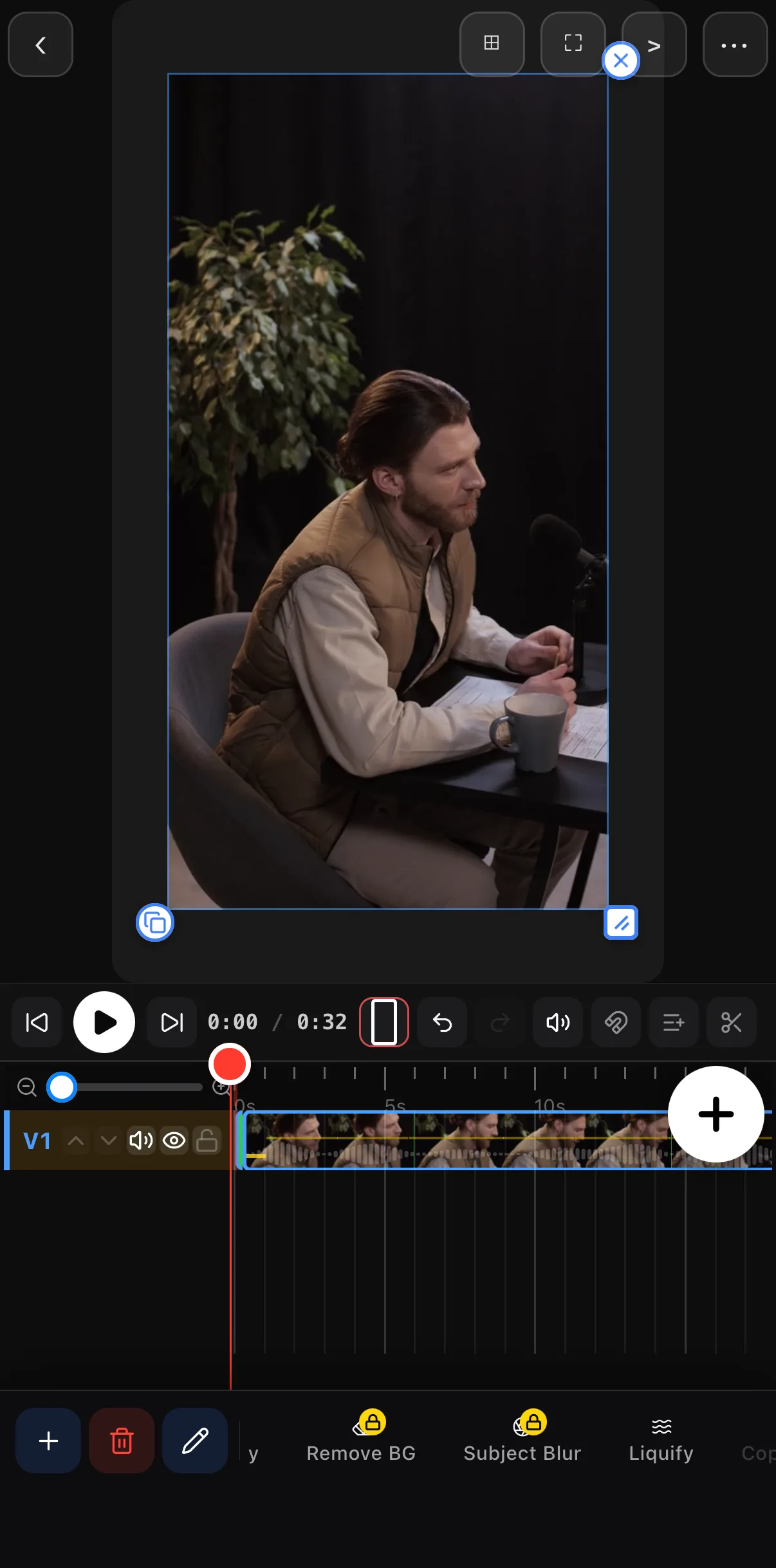 32-second take, one clip
Select the clip
Tap the video clip, or the voiceover on its audio row.
Tap Auto-Cut
It reads the audio, finds gaps of about half a second or longer that sit below roughly −40 dB, and ripple-deletes them — the pieces after each gap slide left to close it.
Listen, then Undo if it’s too tight
The result is one continuous cut. If a breath got eaten, Undo restores the original clip in one step.
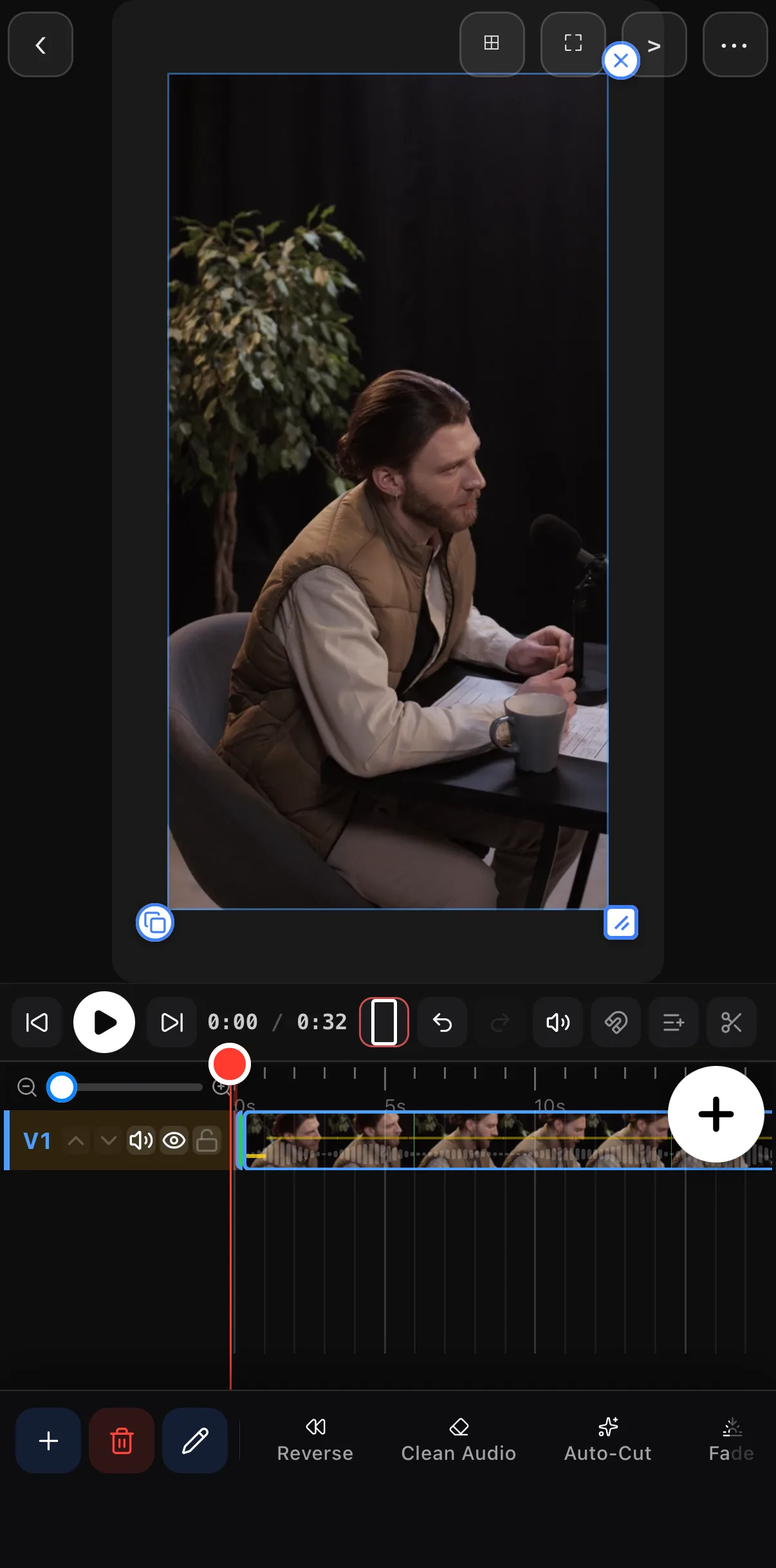 Clean Audio next door
Auto-Cut
Clean Audio next door
Auto-Cut
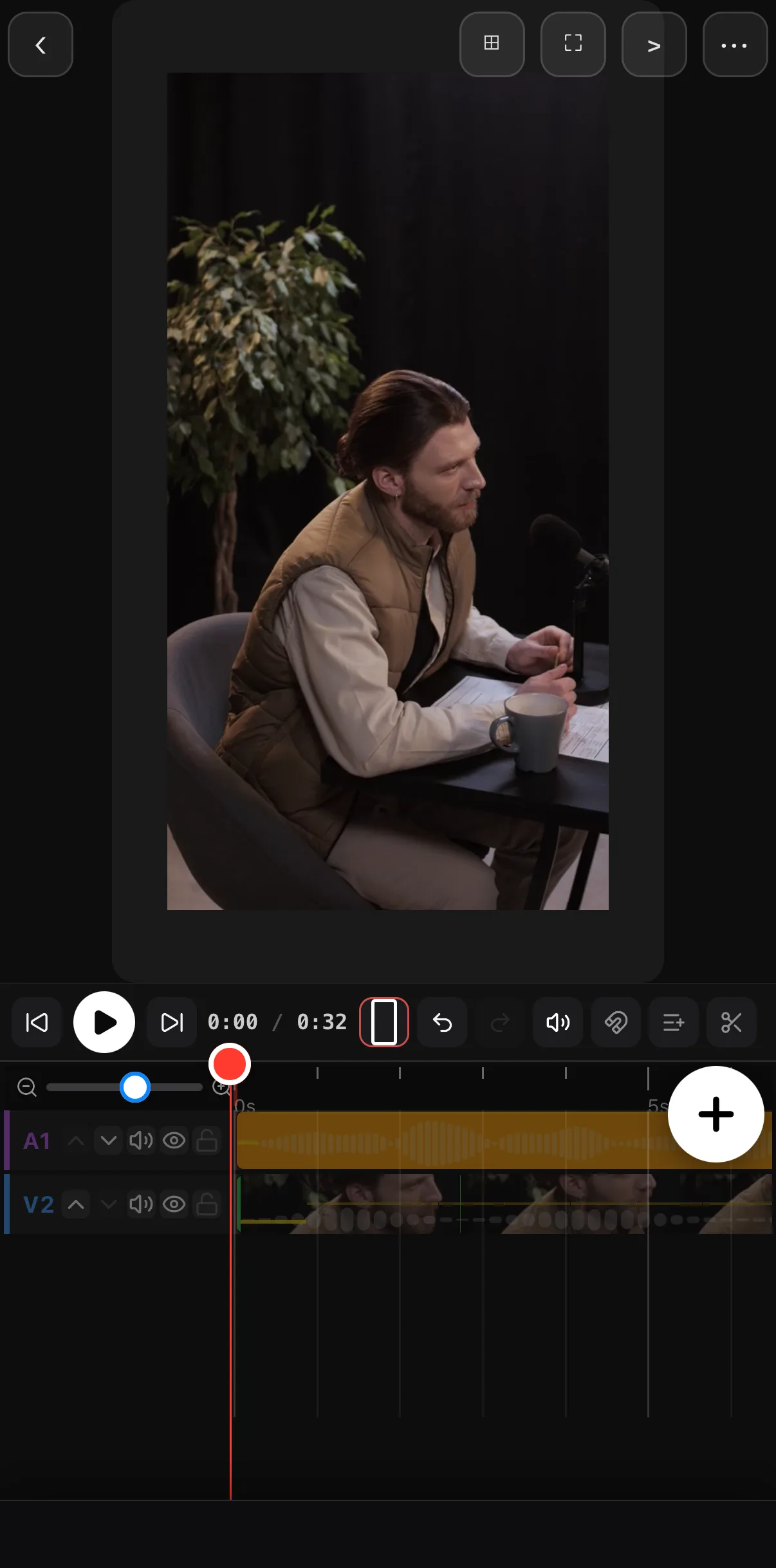 Voiceover with silent gaps
Auto-Cut on the audio toolbar
Voiceover with silent gaps
Auto-Cut on the audio toolbar
When it says “No silence to cut”. The gaps were shorter than the minimum or louder than the threshold. That’s a feature — a cut that removes every breath sounds robotic. Split by hand at the scissors, or use the AI tool below with a lower threshold.
Long video to short — let the assistant pick the highlights
The highlight cut runs through ExpoCut’s AI Agent: the phone becomes a local server your assistant (Claude, Cursor, Copilot, any MCP-compatible client) can drive over Wi-Fi. No upload — the audio analysis runs on the phone.
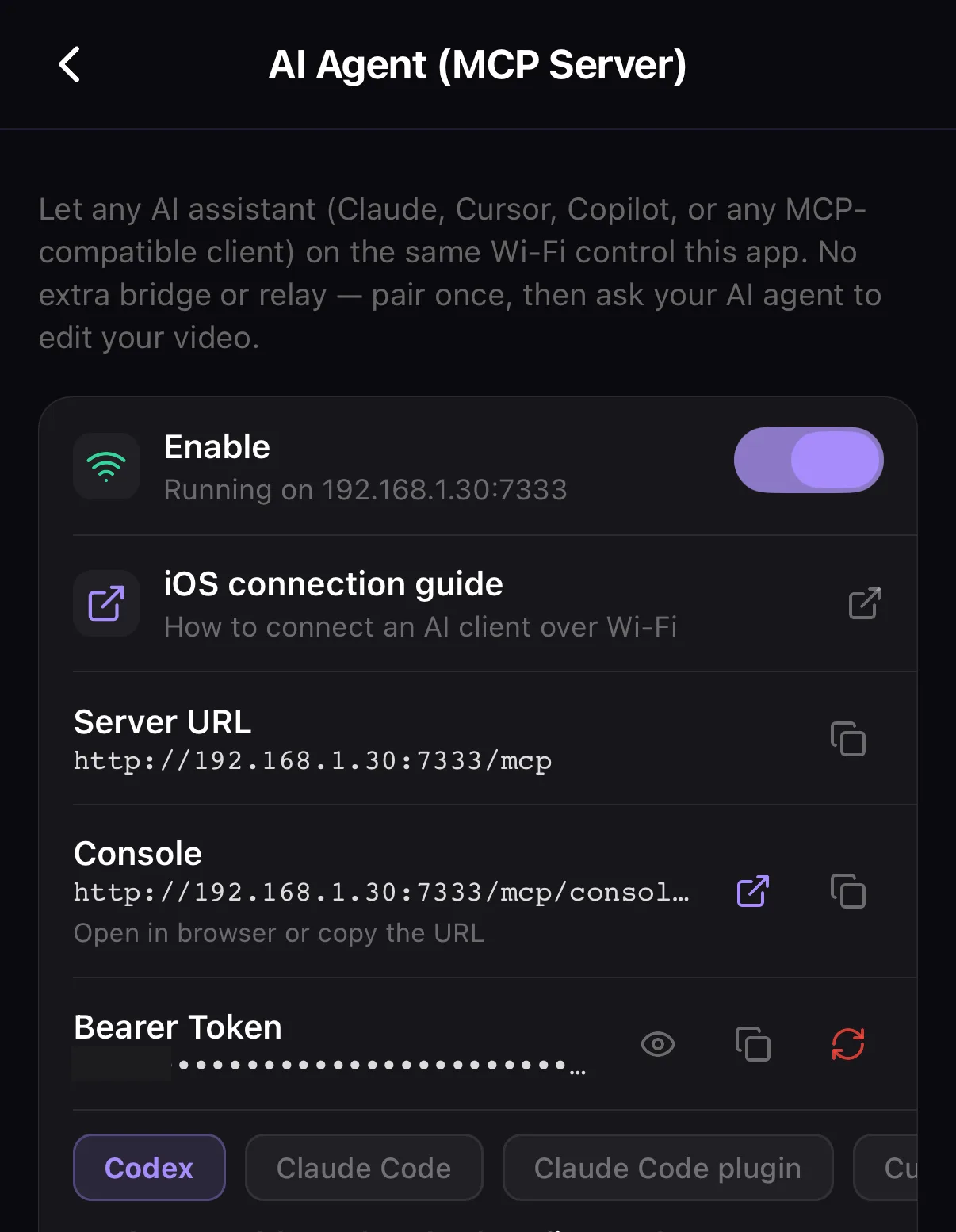 Enable — the phone becomes a local MCP server
Server URL to paste into your assistant
Enable — the phone becomes a local MCP server
Server URL to paste into your assistant
Enable the AI Agent
Home ▸ ⚙ ▸ AI Integration ▸ Enable. Copy the Server URL and Bearer Token into your assistant.
Ask for the short
“Turn the podcast clip into a 45-second short.” Under the hood the assistant calls long_video_to_short with the clip’s layer id and
targetDurationSec: 45— optionallymaxSegmentSecso one long stretch can’t eat the whole budget.Review the cut
The tool trims dead air first, scores what’s left by energy, keeps the best passages within the budget in chronological order and lays them end to end. Trim, reorder or Undo like any edit.
The same channel exposes Auto-Cut’s dials: auto_remove_silence takes thresholdDb, minSilenceMs and paddingMs, so “cut anything under 300 ms below −35 dB and leave 80 ms of air” is one sentence to your assistant.
A workflow that stacks
- Auto-Cut the take (or let the assistant do it with custom settings).
- Transcribe the tightened clip so captions land on the new timing.
- Long video to short for the 45-second version — then Split on the beats for the 15-second one.
Where to go next
- Everything the AI Agent can do: automate video rendering with MCP & the engine.
- Captions after the cut: add captions & subtitles.
- Fix the audio, not just the gaps: clean up video audio.
Cut the silence, keep the energy — the edit that used to take an afternoon takes a tap and a sentence.
Frequently asked questions
How do I remove silence from a video automatically?
Select the clip in ExpoCut and tap Auto-Cut on its toolbar. It detects silent gaps of roughly half a second or more, deletes them and closes the timeline. The original file isn't changed, and Undo puts the pauses back.
Why does Auto-Cut say ‘No silence to cut’?
The pauses were too short or too loud to count — room tone, breaths and short beats stay below the minimum gap on purpose so the cut doesn't sound chopped. Split by hand at the scissors, or run auto_remove_silence through the AI Agent with a lower minSilenceMs or a higher thresholdDb.
How do I turn a long video into a short automatically?
Turn on Settings ▸ AI Integration (MCP Server), connect your assistant with the server URL and token, and ask it to run long_video_to_short on the clip with a target duration such as 45 seconds. It trims dead air, scores the remaining passages by energy, keeps the best ones within the budget in chronological order and lays them end to end on the timeline.
Related guides
Skip the boring cuts
One-tap silence removal and an AI-driven highlight cut — the tedious half of editing, automated on your phone.
Get ExpoCut Browse all guides