Generative Backgrounds & Shaders for Video (Light Leaks Too)
Some of the best-looking video has no footage in it at all — just animated, generative backgrounds rendered in real time. Here’s how to use shaders, generative backdrops and light leaks on your phone to add atmosphere behind text or as standalone B-roll.
Quick answer
In ExpoCut, tap Shader in the bottom bar (or + ▸ Shader) to open Shader Effects — 57 procedural backgrounds with live GPU previews, grouped Fluid · Fire · Light · Cosmic · Geometric · Retro · Nature · Abstract. Tap one (Aurora, Galaxy, Silk, Liquid Chrome…) to open its editor — presets, colour stops, Amplitude/Blend/Speed, and a Source Media row to run the shader over your own photo or clip — then Done. It lands as a full-canvas layer (E-row) that loops forever. The Abstract tab holds overlay shaders (Fireflies, Snow, Dust Particles, Light Orbs, String Lights) with a Transparent BG switch, and Light Leak in the bottom bar adds one of 18 Screen-blended flares.
- Shader = bottom-bar entry; 57 procedural backgrounds, every tile a live GPU preview of the real animation.
- Each shader has an editor: presets, colour stops, sliders, plus Source Media (Pick Image / Pick Video) to shade your own footage.
- A shader lands as an E-row layer that fills the canvas and loops at any length — add a text layer above it for a living title card.
- Overlay shaders live in the Abstract tab: flip Transparent BG (or pick the … Overlay preset) so only the particles show over footage.
- Light Leak = 18 presets (Warm Sunset → Prism Rainbow → Vintage Filmburn) that arrive already set to Screen.
Open almost any polished title sequence and you’ll find motion with no camera footage in it — just animated, generative visuals rendered in real time. Shaders, generative backgrounds and light leaks are the atmosphere layer of video, and they’re some of the highest-impact, lowest-effort effects you can add.
What “generative” means
A generative background is created by code, not a camera. A shader program draws flowing color and motion every frame — aurora gradients, drifting nebula, rain running down glass. The advantages are big:
- No footage or licensing — it’s generated, not stock.
- Loops forever — no visible seam, any length.
- Scales to any resolution — it’s math, not pixels, so it’s always crisp.
They make ideal backdrops behind text and logos, or standalone B-roll between scenes.
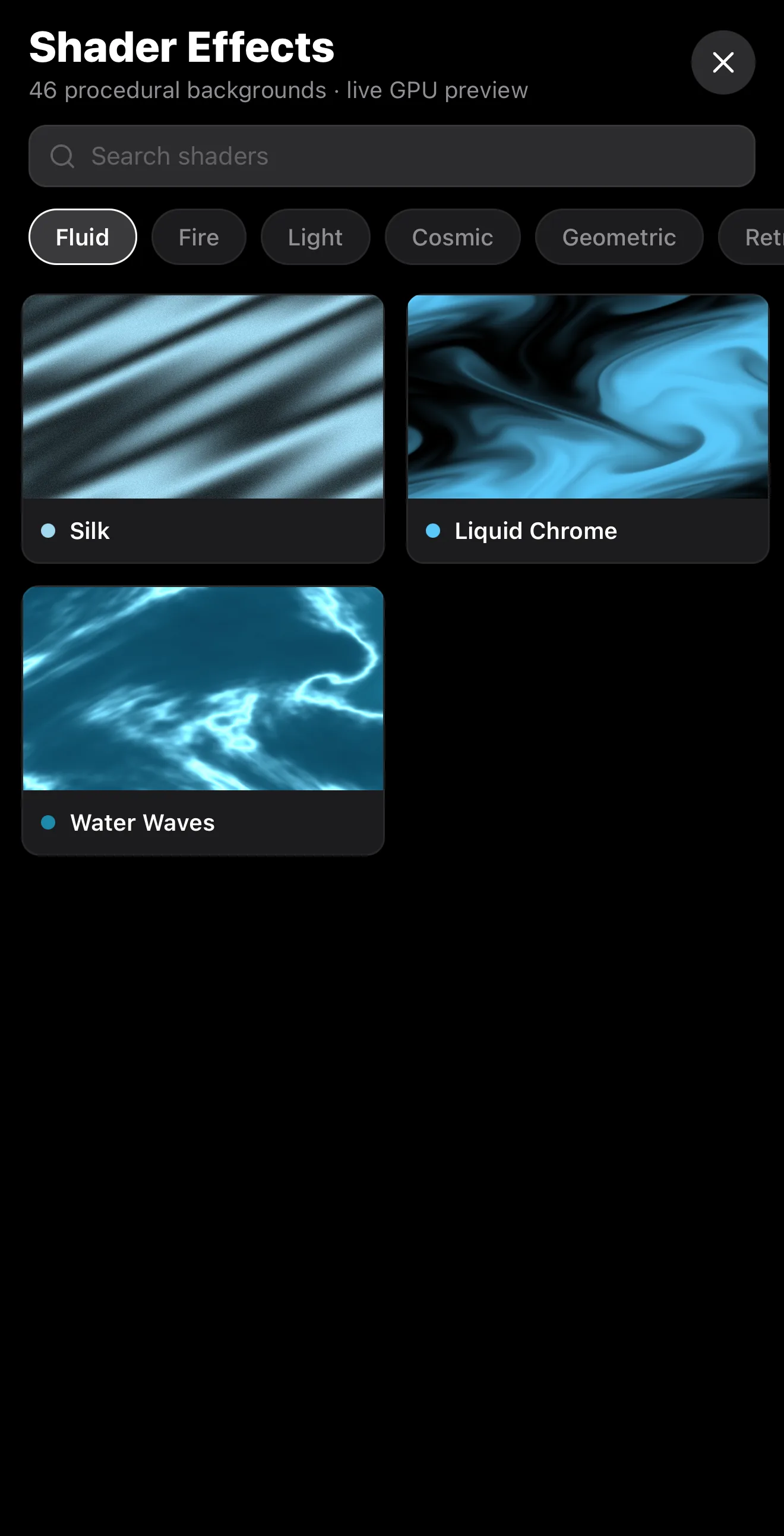 57 procedural backgrounds
Browse by mood — Fluid · Fire · Light · Cosmic · Geometric · Retro · Nature · Abstract
Live GPU previews
57 procedural backgrounds
Browse by mood — Fluid · Fire · Light · Cosmic · Geometric · Retro · Nature · Abstract
Live GPU previews
Tapping a tile opens the shader’s own editor before it lands:
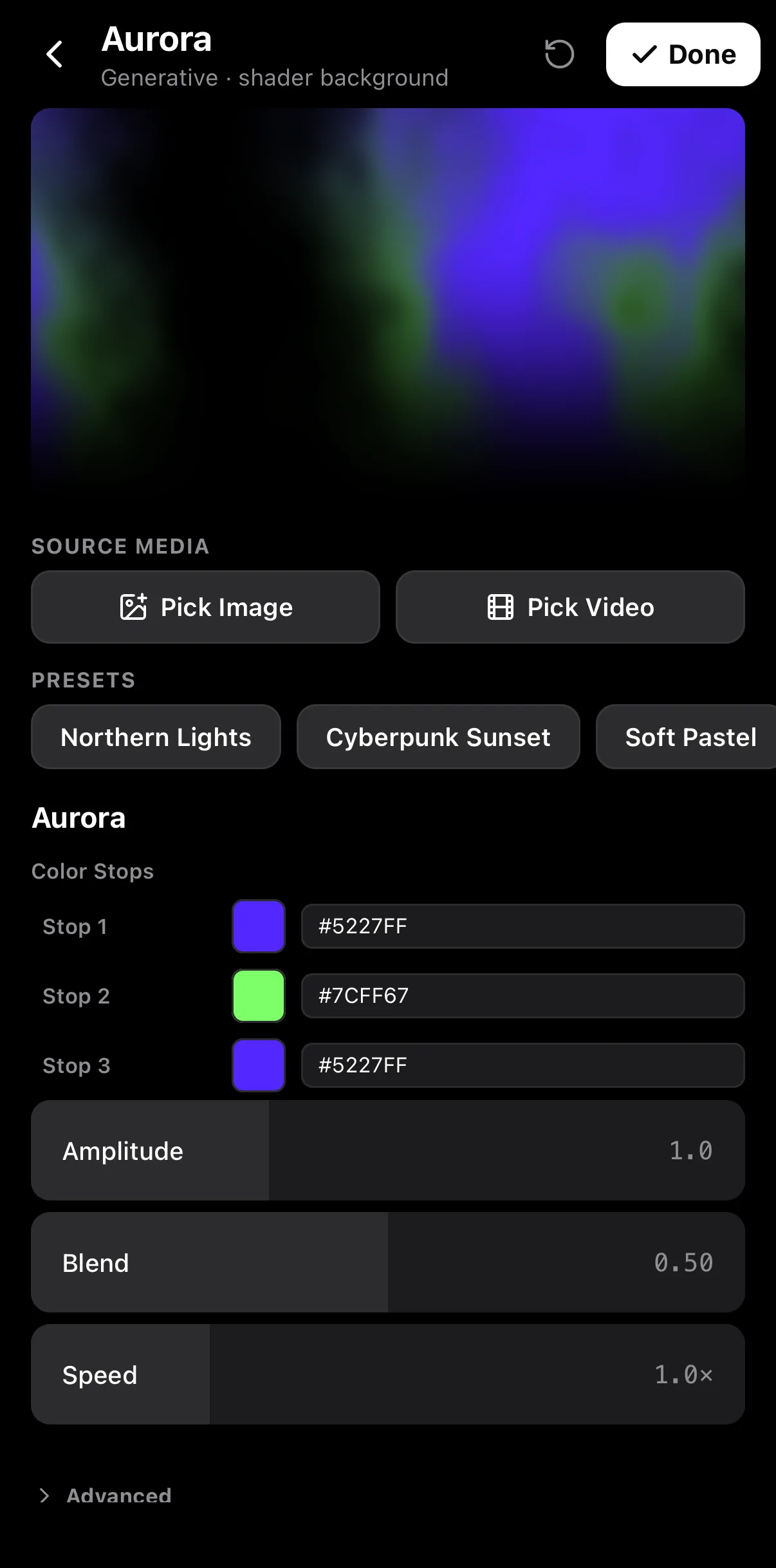 Source media — run the shader over a photo or clip
Presets
Colour stops + Amplitude / Blend / Speed
Source media — run the shader over a photo or clip
Presets
Colour stops + Amplitude / Blend / Speed
Three ways to use them
| Use | How |
|---|---|
| Behind text | Generative background on the bottom layer, animated title on top |
| As B-roll | A few seconds of shader between talking-head clips |
| As an overlay | Light leaks / bokeh on a layer above footage, blended in |
Light leaks & overlays — organic warmth
Light leaks are warm flares laid over your footage. The trick is the blend mode: set the overlay to Screen (or Add) so its dark areas vanish and only the bright flare shows through. Dial opacity to taste. Leaks add film-like warmth and conveniently hide hard cuts.
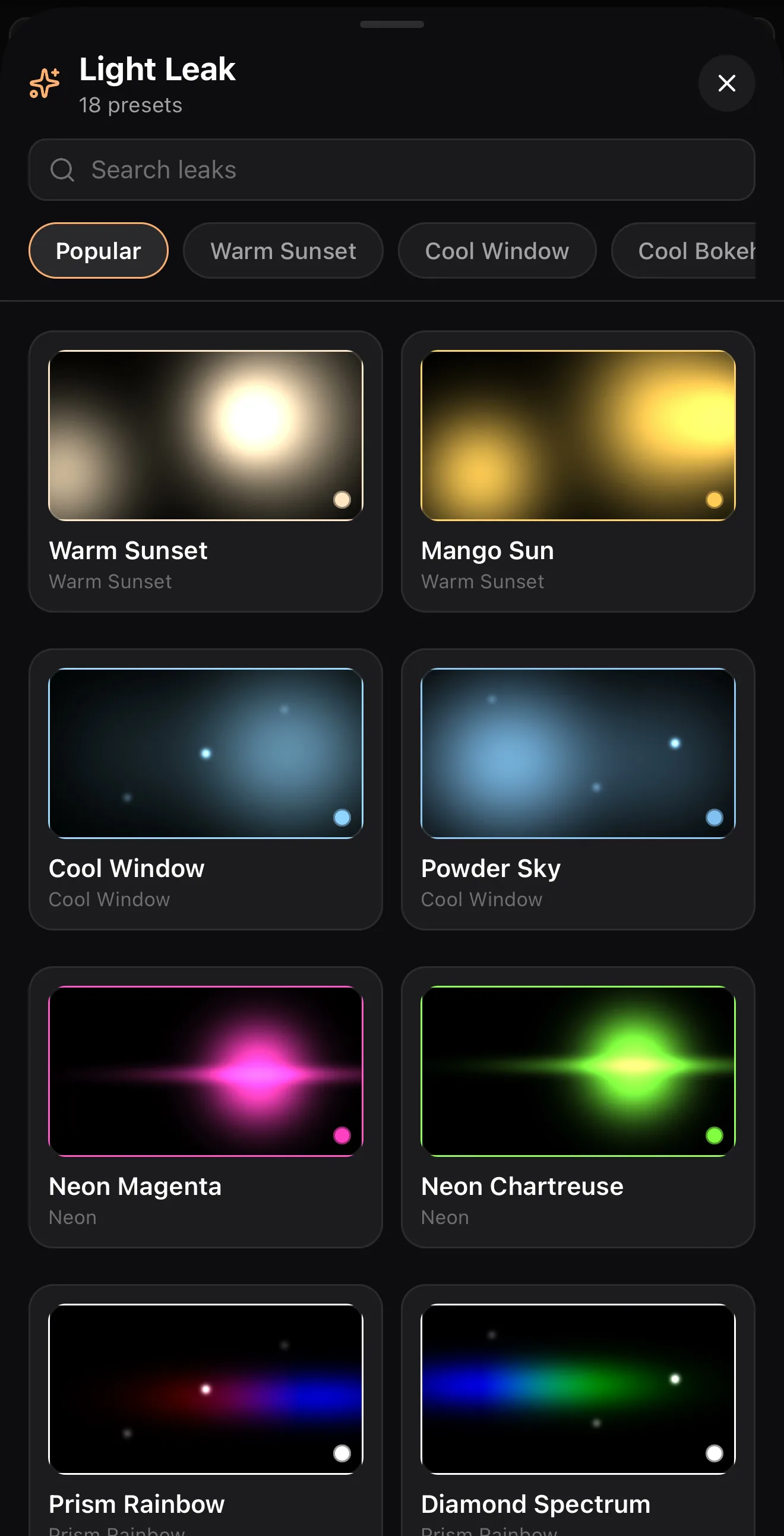 18 presets
Prism Rainbow · Soft Anamorphic · Vintage Filmburn…
18 presets
Prism Rainbow · Soft Anamorphic · Vintage Filmburn…
Particle overlays — fireflies, snow, dust
The Abstract tab of the Shader picker holds a set of generative overlays: String Lights, Light Orbs, Fireflies, Snow, Dust Particles. Each has a Transparent BG switch (or an “… Overlay” preset) so only the particles render — drop one above footage for instant atmosphere.
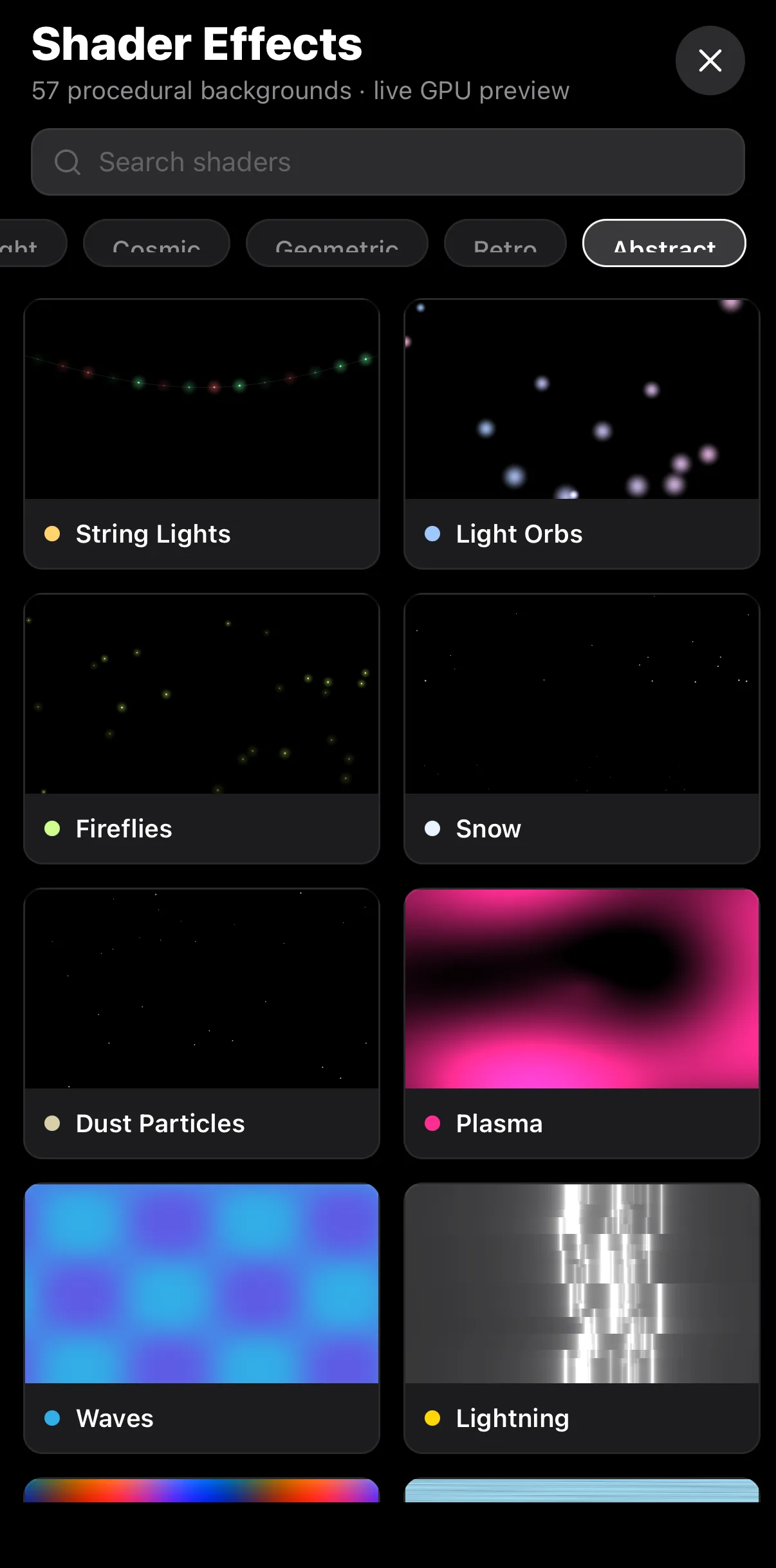 Abstract tab
String Lights · Light Orbs · Fireflies · Snow · Dust Particles
Abstract tab
String Lights · Light Orbs · Fireflies · Snow · Dust Particles
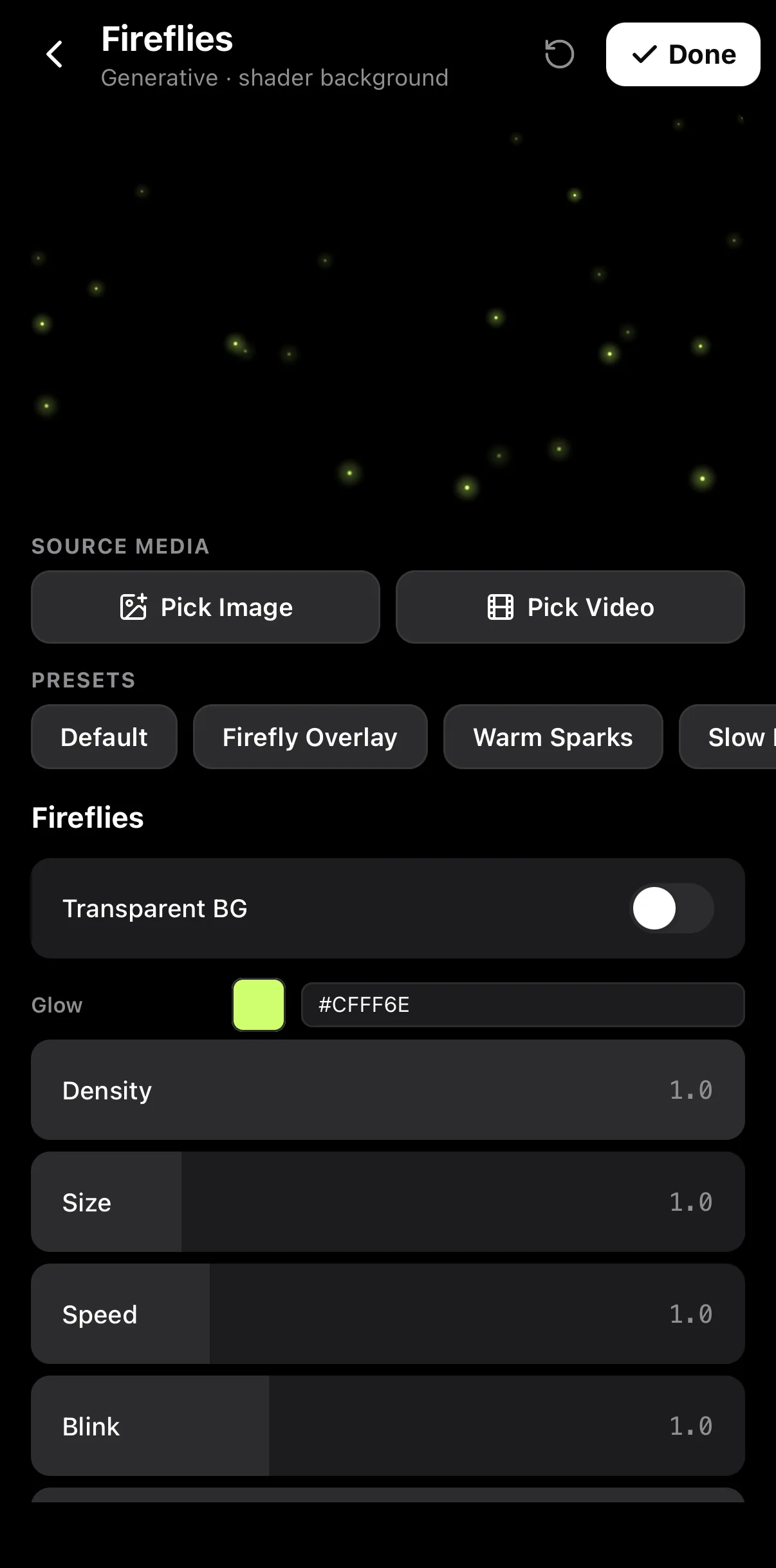 Firefly Overlay preset
Transparent BG
Density · Size · Speed · Blink
Firefly Overlay preset
Transparent BG
Density · Size · Speed · Blink
Atmosphere, not distraction. Generative effects are gorgeous, which makes them easy to overuse. Behind text they should support the words, not compete. Keep motion gentle and contrast moderate so your message stays readable.
A recipe: a title over a living background
Add a generative background
Bottom bar Shader ▸ Cosmic ▸ Aurora, pick the Northern Lights preset, Done. It fills the canvas on row E1.
Add your title on top
Text ▸ Text, type it, pick a style (Hero Title here) — see add text & titles.
Balance it
Lower the shader’s Amplitude or Speed so the text stays crisp, and keep the motion slow.
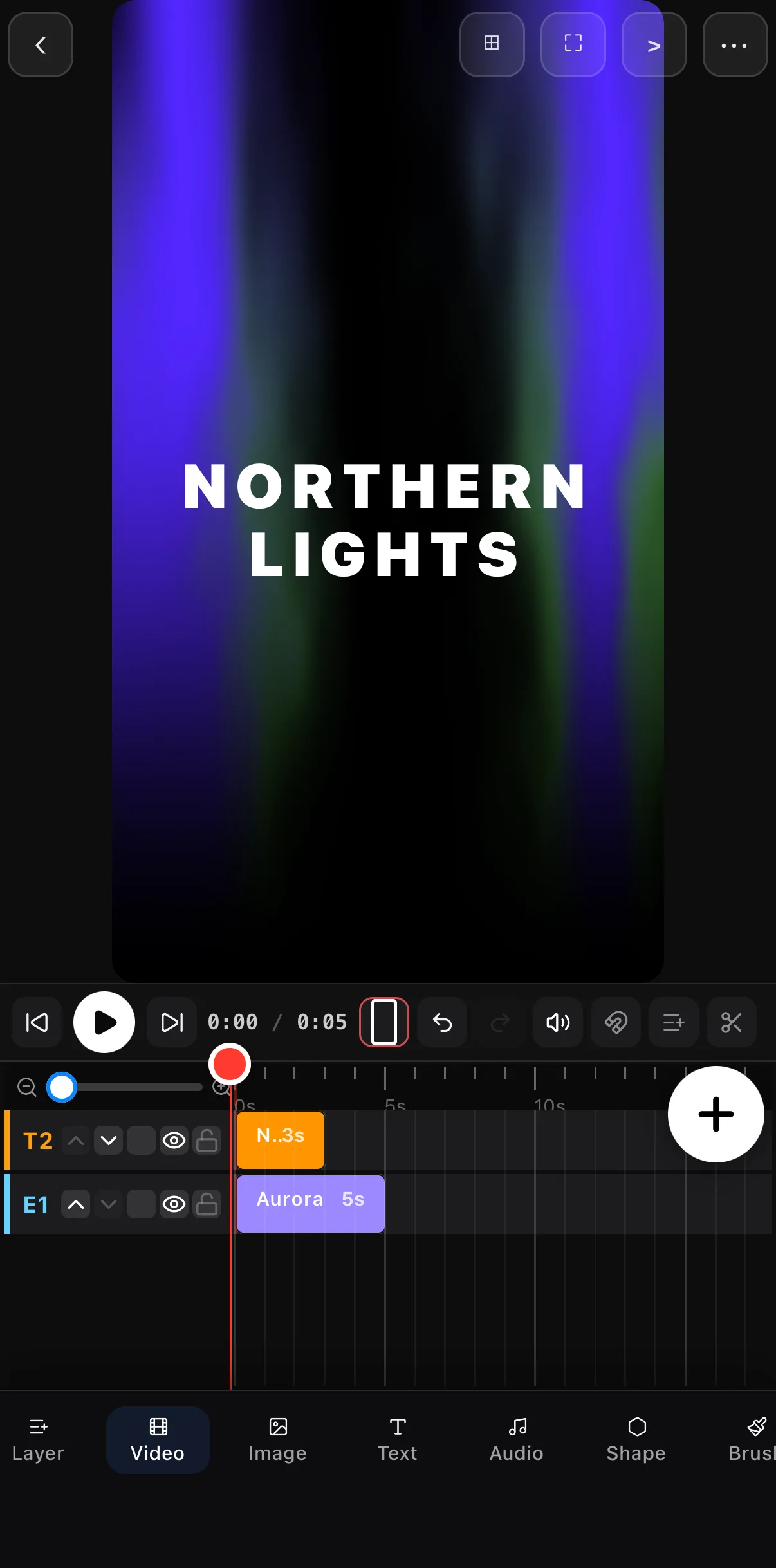 Title on T2 over the Aurora on E1
Where to go next
- Put text on your backdrop: add animated text & titles.
- Where shaders fit among effects: video effects guide.
- Frame footage into shapes over a shader: shapes & masks.
Generative backgrounds give you studio-grade motion graphics with no footage and no licensing — just code, rendered live. Start with a title over an aurora and you’ll never go back to plain black.
Frequently asked questions
What is a generative background in video?
A generative background is animated visuals created by code in real time — flowing aurora gradients, drifting nebula, rain on glass — rather than recorded footage. They make perfect, endlessly-loopable backdrops behind text and logos, and never need licensing or stock footage.
How do I add a light leak to a video?
Add a light-leak overlay on a layer above your footage and set its blend mode (like Screen) so the dark parts disappear and only the warm flare shows. Adjust opacity to taste. Light leaks add organic warmth and hide hard cuts.
Do shaders slow down my phone?
Modern mobile editors render shaders efficiently on the GPU, on-device, in real time. You get a live preview while editing, and they bake into the export at full quality without uploading anything.
Related guides
Add a generative backdrop
Aurora, nebula, rain-on-glass and light leaks — rendered live on-device, perfect behind text or as standalone B-roll.
Get ExpoCut Browse all guides